AI Insights
Agent Memory Has Outgrown Retrieval
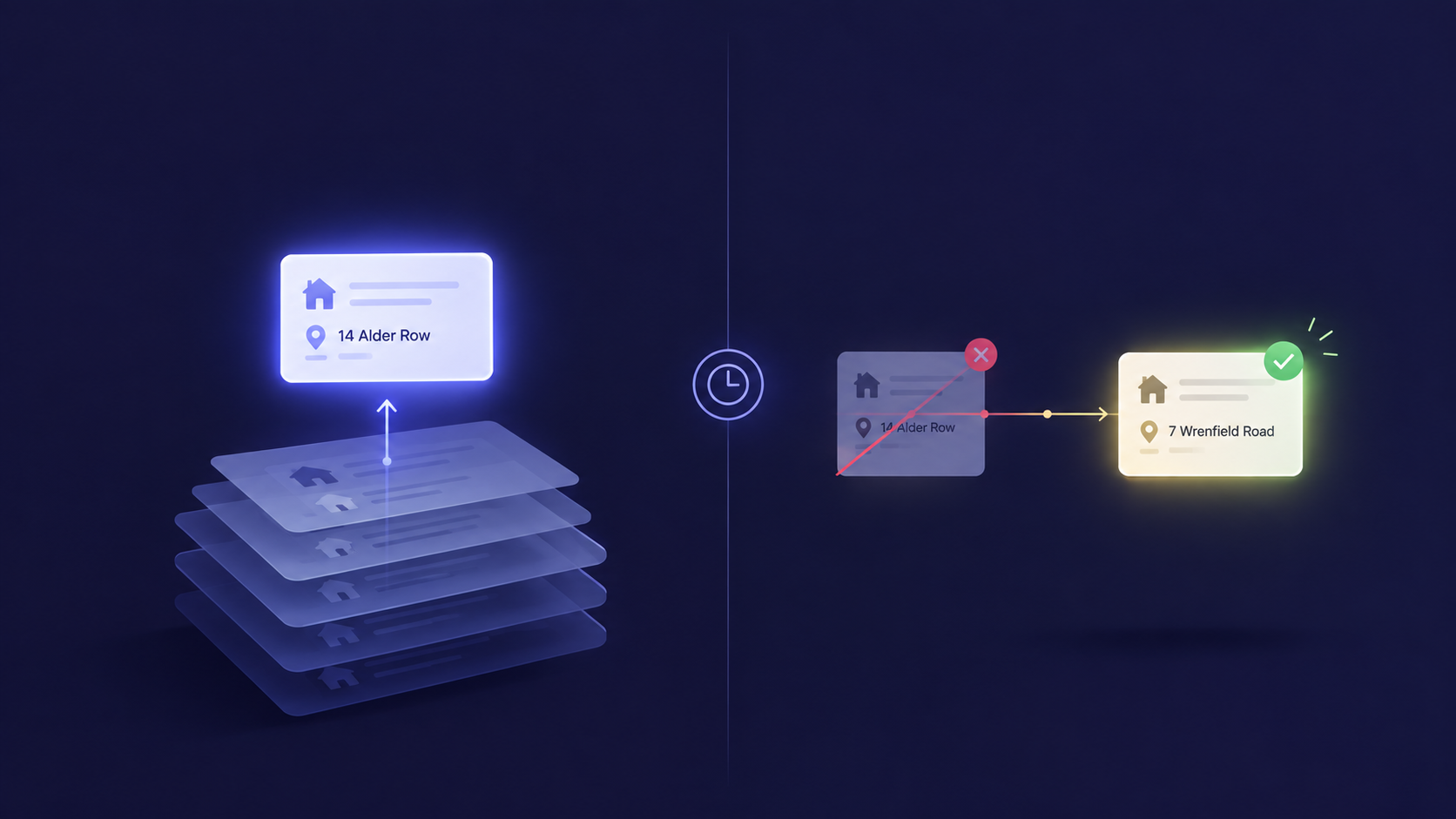
Most AI memory systems can find relevant past information but can't tell if it's still true, so agents act on stale data that was technically "retrieved correctly."
September 17, 2026

None of these features move the needle in isolation. Stack them together and you stop treating LinkedIn like a content calendar and start treating it like what it actually is for B2B


If you've spent time trying to figure out how to use LinkedIn effectively for your business, you've probably been told the same three things a hundred times: post consistently, engage with your network, and be authentic. But none of that explains why some B2B founders with half your follower count are booking demos every week while you're stuck refreshing analytics on a post that got forty likes and zero replies.
The main feed is the least interesting part of LinkedIn if you're building a B2B business. The features that actually move the pipeline are sitting one or two clicks away from where everyone's staring, buried in menus, tucked under "Admin view," or shipped so quietly that even people who use LinkedIn daily have never opened them.
So let's go feature by feature, where to find each one, why it actually matters, and how to use it without wasting a week figuring it out yourself.
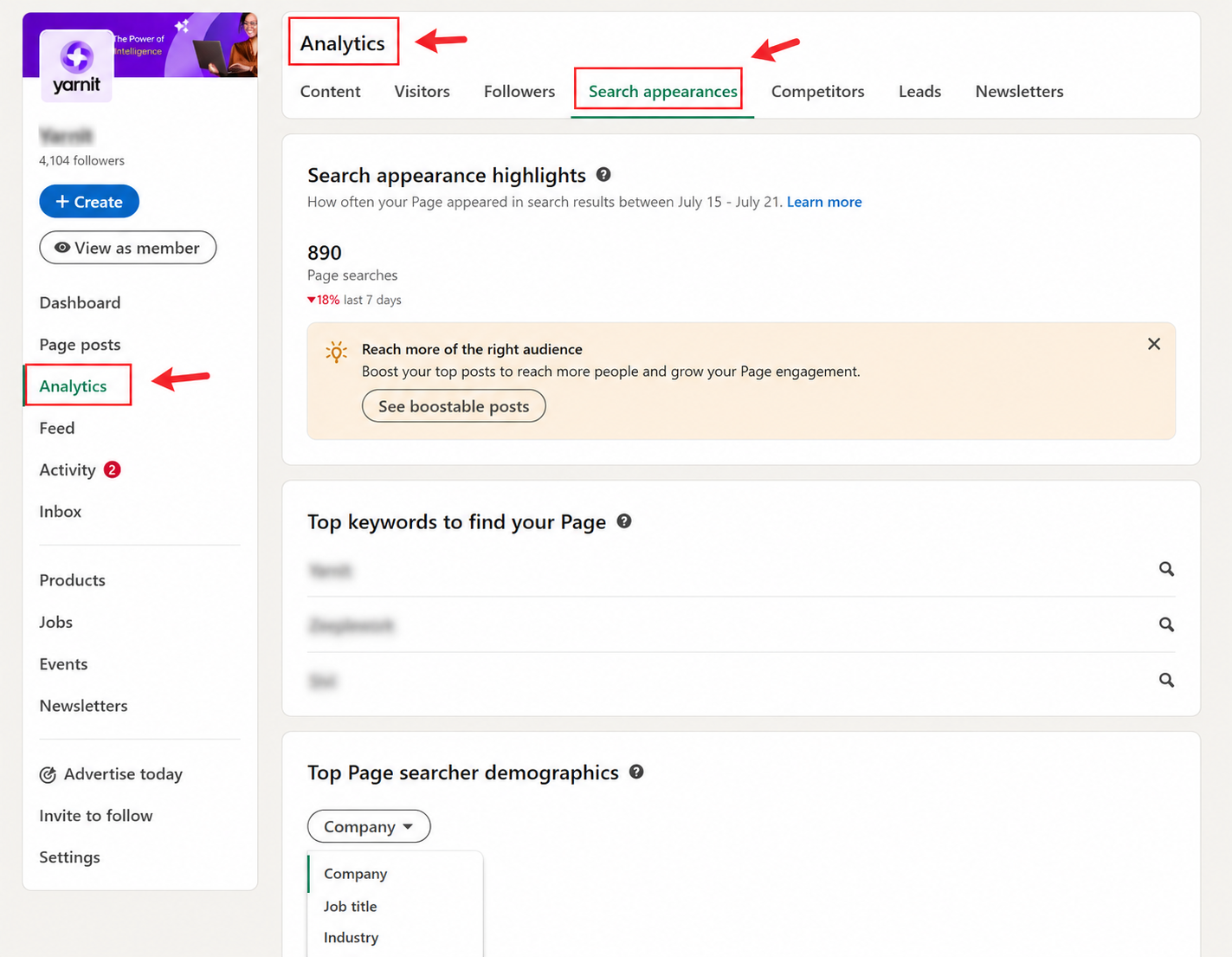
Go to your profile, click "Analytics" in the left panel (or under your profile photo on mobile). You'll see three tabs: Post impressions, Followers, and Profile viewers, plus a "Search appearances" section that most people scroll straight past.
Everyone obsesses over likes and impressions. Those are vanity numbers. The tab that actually tells you something useful is follower demographics, you can see the job titles, seniority, and industries of the people following you. If you're trying to reach VP-level buyers and your audience skews toward students and junior ICs, no amount of posting is going to fix that. You're writing the wrong content, or writing it in the wrong voice, for the wrong audience.
Search appearances is the sleeper feature here. It shows you the exact keywords people typed into LinkedIn's search bar to land on your profile. Treat this like a free keyword research tool, if "fintech product manager" keeps showing up but you never mention "fintech" anywhere on your profile, that's a gap you can close today.
A few things you can actually do with this:
On your profile, scroll just below your About section, you'll see "Featured." Click the "+" icon to add a post, article, media file, or external link.
Featured is the one place on your profile where you control exactly what a visitor sees first before they scroll through years of unrelated posts. Think of it as the difference between a stranger stumbling through your entire Instagram history versus you handing them your best three photos.
Tips that make a real difference:
Follow 10–15 accounts in your niche whose audience overlaps with your buyers, and check their posts within the first hour of publishing, this is the single biggest lever most people ignore. Comments carry meaningfully more ranking weight than likes, and posts that spark real back-and-forth threads get pushed to wider audiences than posts that just rack up reactions. Timing compounds this further: comments left within the first hour of a post going live carry several times more algorithmic weight than ones added later in the day.
Translate that into practice and it means a genuinely sharp comment on someone else's popular post can put you in front of more relevant eyeballs than publishing your own content that day, especially if you're still building an audience from scratch.
How to actually do this well:
Instead of boosting content from your company page, which reads as an ad the second it hits the feed, you sponsor a post published from an employee's personal profile, usually a founder or subject-matter expert. It still looks and feels like an organic post because it is one; you're just paying to extend its reach beyond that person's network.
The performance data backs this up hard. Thought Leader Ads regularly post click-through rates roughly double that of standard single-image ads with the same objective, and broader benchmarking across large B2B ad datasets has clocked them at a fraction of the cost-per-click of traditional formats. There's a trust dimension behind the numbers too: a large share of B2B decision-makers say they find thought leadership more credible for evaluating a company than polished marketing material.
Tips and traps to know before you launch one:
As a Company Page admin, go to your Page's admin view, look for the "Products" tab, and click "Create Product Page." You'll need to submit it for LinkedIn's review, which can take a couple of weeks, so don't build this the week before a launch.
Beyond your main Company Page, LinkedIn lets B2B software companies spin up dedicated Product Pages for each individual offering, up to 35 per account. Each one gets its own description, demo media, a "Featured Customers" section, and the real draw verified customer reviews. LinkedIn actually confirms the reviewer works at a company that used the product before letting them post, which is a level of authenticity most review sites can't claim.
Tips for actually getting value from this:
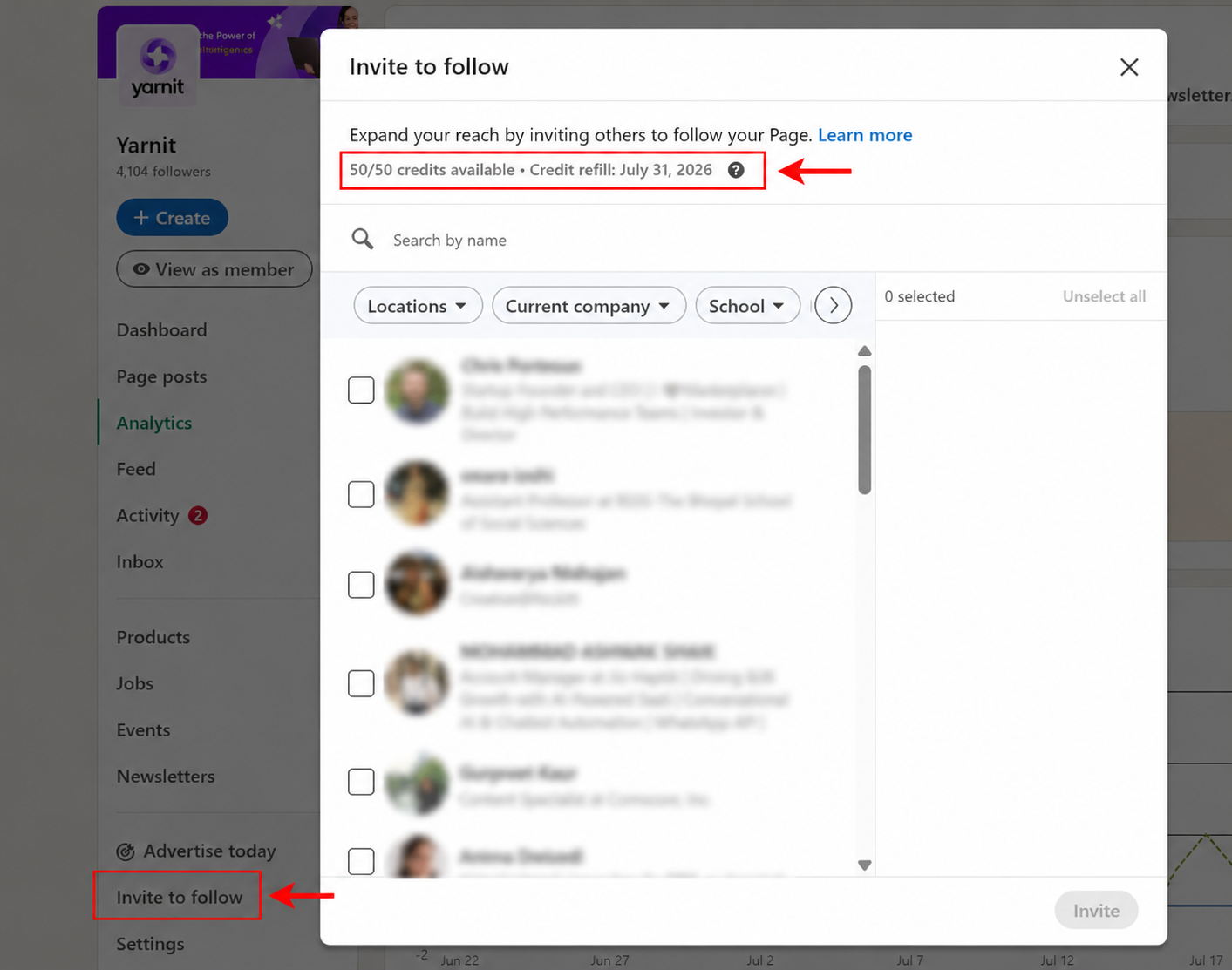
Every admin gets a fresh monthly batch of invites to prompt their first-degree connections to follow the company page. It's one of the few ways left to grow a genuinely relevant follower base without spending a rupee, you're inviting people who are already one connection away from someone inside your company, which is about as warm as free growth gets.
Employee networks matter more here than most teams realize. Collectively, your employees hold far more first-degree connections than your company page has followers, and content they share tends to travel further than the same content posted from the page itself.
How to not waste this:
Edit your profile, and pay specific attention to three fields, your headline, the opening lines of your About section, and your custom public profile URL (Settings → Edit public profile & URL).
LinkedIn profiles are indexed by Google, and they tend to rank well for name and role-based searches. That makes your headline and About section a second, entirely free SEO surface most people never think to optimize. Swapping a generic title like "Founder" for something specific like "Founder at AI for Ecommerce Supply Chains" genuinely changes how discoverable that person is, both inside LinkedIn's own search and on Google.
The mechanics that actually matter:
None of these seven features move the needle in isolation, that's the part people miss when they try one, don't see results in a week, and move on. Analytics tells you who you're actually reaching. Featured and Product Pages give that audience proof once they land on your profile. Comments and Thought Leader Ads get you in front of people who don't know you yet. Company Page invites turn your existing network into free distribution. Profile SEO makes sure you're findable long after any single post has scrolled out of the feed.
Stack them together and you stop treating LinkedIn like a content calendar and start treating it like what it actually is for B2B, a discovery engine, a proof surface, and a warm distribution channel, all sitting in the same app most people only use to post twice a week.
.avif)

From collection to clarity — we’ll help you make sense of it all.

Giving shape to intelligence