


.avif)
Have you noticed how some emails just hit differently? Like when Zomato sends something, you don’t just see an email, you suddenly feel hungry, smile at the line they’ve written, and before you know it, you’re scrolling through the menu. That’s the kind of impact a good email can make. It can change your mood, remind you of something you wanted, and even push you to buy… all in a few seconds.
And the funny part? It actually works. 59% of consumers say marketing emails influence what they ultimately buy. But here’s the problem: even though emails work this well, most of them get ignored or lost in spam because they sound cold, flat, or like a bot wrote them.
The good part? Once you make your emails sound human, everything changes. Humanized emails feel warmer, more relatable, and way more fun to read. People connect, respond, and click.
So in this blog, let’s talk about 11 simple ways to humanize AI text for emails that actually convert. Nothing complicated, just practical tips you can use right away to make your emails feel more real and more “you.”
Why Personalization and Humanizing AI Text in Email Copy Matters
Imagine opening an email that feels like a quick note from a friend who gets your busy life, versus a cold sales pitch that screams "robot." Which one keeps you reading? Personal touches and humanized copy create that friend-like bond. Consumers demand it; 52% say they will shop somewhere else if an email lacks that personal feel.
For food and beverage marketers, emails referencing past recipe attempts, late-night cravings, or previous interactions resonate. When you humanize AI text in your emails, you build trust without extra ad spend, keep subscribers engaged, and turn one-time browsers into repeat buyers. Brands that nail this see loyalty soar because people stick with those who genuinely understand their world.
Even minor changes to sentence structure can have a big impact. Mastering the art of rewriting lines to humanize AI text can turn your emails from “just sent” into genuinely read. For practical tips on polishing every sentence while keeping your brand voice intact, see this guide on 11 Expert Techniques to Rewrite a Sentence Effectively.
11 Ways to Humanize AI text for attention-grabbing emails
Now that you understand why personal touches matter, let’s look at 11 practical ways to humanize AI text so your emails feel real, engaging, and impossible to ignore
1. Casual Subject Lines with Hooks
Description: Write subject lines under 50 chars with questions, emojis, or teasers that spark curiosity.
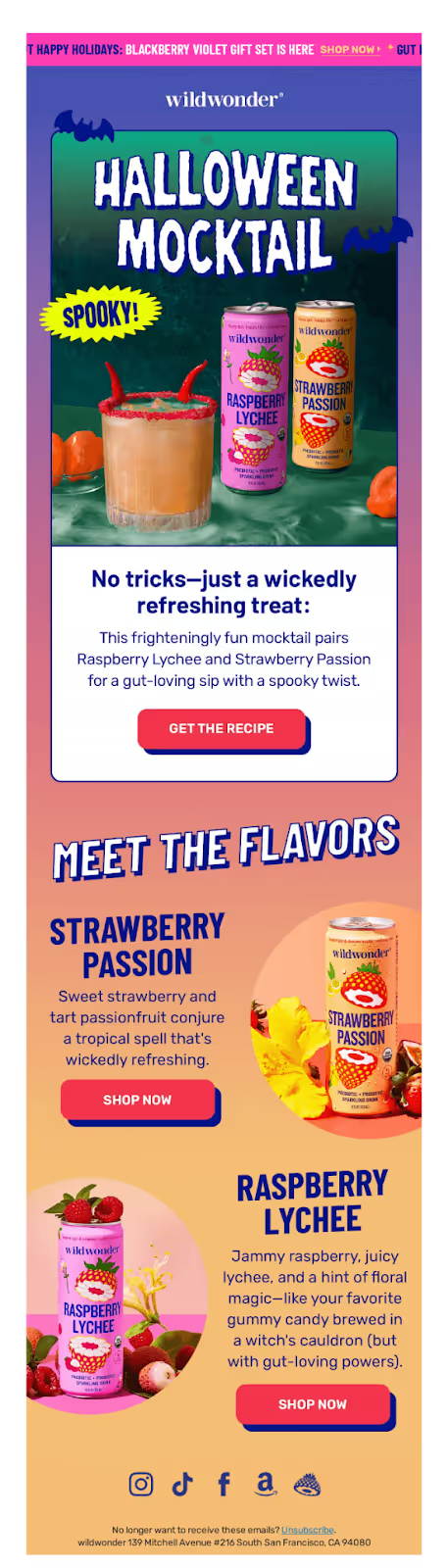
Example: Wildwonder nails a catchy subject line with "A Wicked Sip Awaits", turning a simple Halloween promotion into a tiny story. The word "wicked" plus the blood-drop emoji signals a spooky, playful vibe, while "sip awaits" teases a reward without explaining everything, so curiosity pushes people to open. Inside the email, the hero "HALLOWEEN MOCKTAIL" artwork, bats, and bright can photography instantly pay off that promise, connecting the mysterious "wicked sip" to specific mocktail recipes and drinks. This tight subject-to-creative link makes the line feel fun and satisfying rather than clickbait.
Pro Tip: Review AI-generated subject lines and remove any generic or formulaic phrases. Add small quirks, humor, or playful words to make it feel spontaneous and human.
2. Greeting Empathy Layers
Description: Start with [Name] + 1 pain point acknowledgment in the first 10 words.
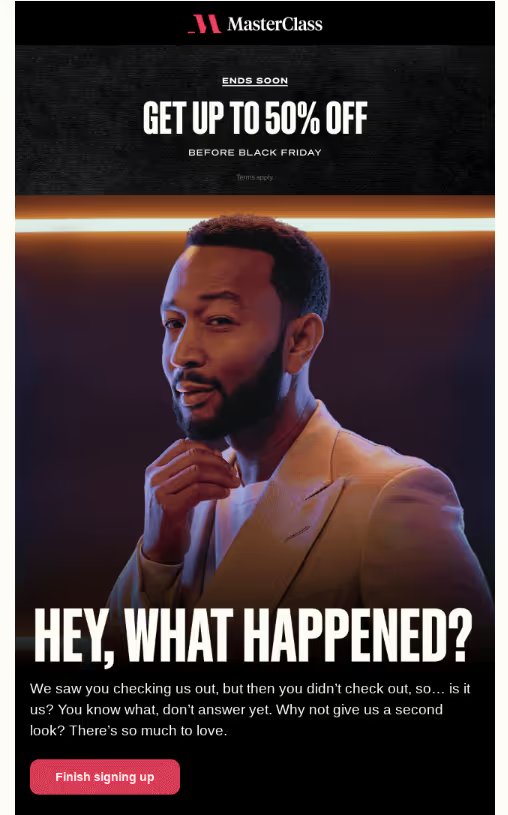
Example: Masterclass employs re-engagement with empathy in their "Did you forget something?" email by using a soft, friendly subject line that gently reminds inactive subscribers of their abandoned cart without judgment, framing it as a relatable oversight. The body personalizes with the specific course left behind, adds urgency via limited-time discounts, and invites easy return with one-click links, blending care with conversion. This humanizes the brand, boosts reactivation rates by acknowledging user busyness while showcasing premium content value.
Pro Tip: Check AI greetings for overly formal or stiff tones. Insert empathy naturally by referencing user behavior, struggles, or emotions to make it feel like a real conversation starter.
3. Question-Driven Openers
Description: Open with 1-2 questions about their specific problem or desire.
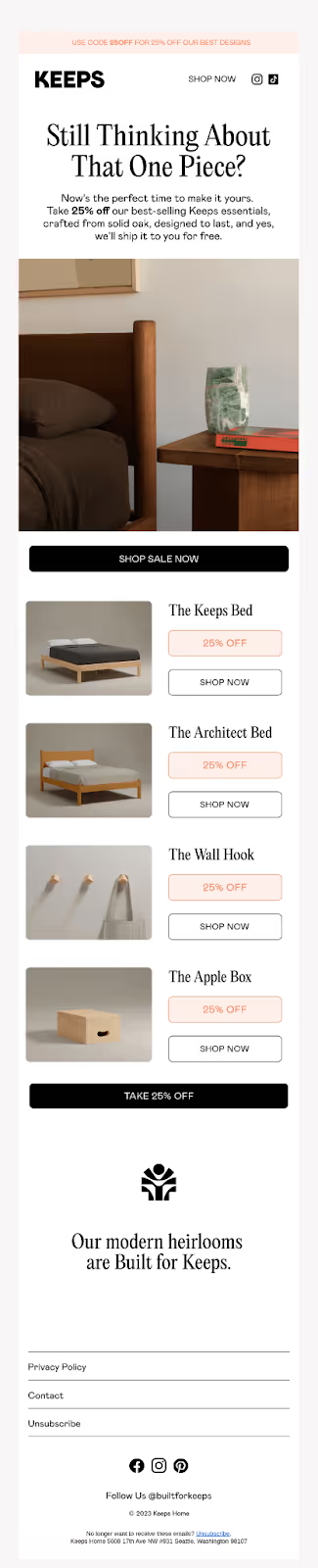
Example: Keeps uses a question-driven opener by pairing the subject line "That Piece You Loved?" with the hero headline "Still Thinking About That One Piece?" to restart the shopper's internal conversation about a specific product. The questions gently remind them of an item they browsed and nudge a "yes" response in their head, then immediately follow with a clear incentive (25% off and free shipping) to turn that revived desire into a purchase.
Pro Tip: AI often makes questions sound generic. Rework them to feel personalized and inquisitive, reflecting real curiosity about the reader’s preferences or past actions.
4. Short Punchy Sentences
Description: Keep sentences 5-15 words. Mix short + medium lengths.
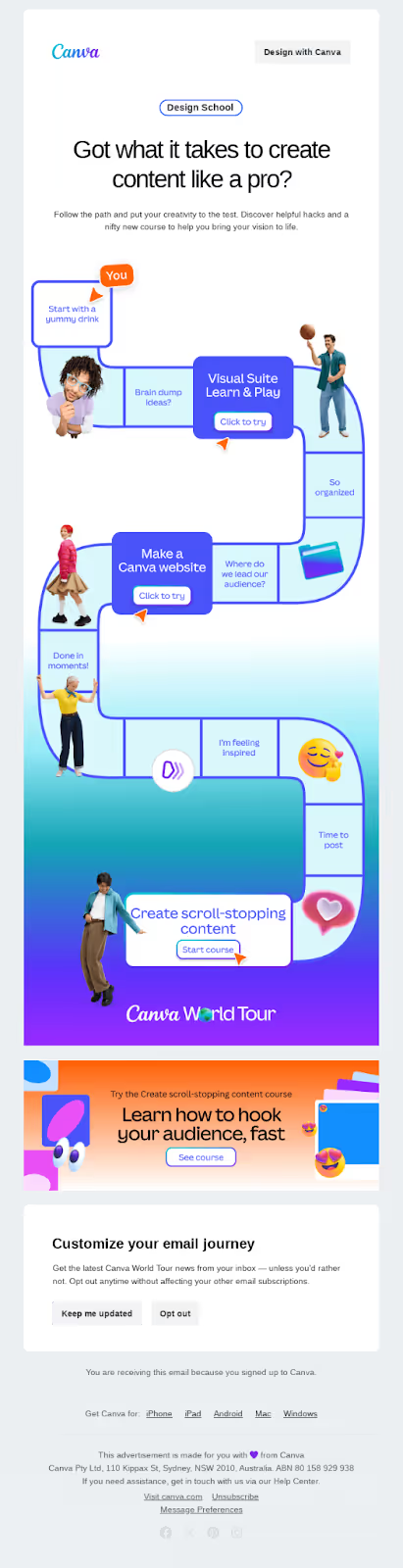
Example: Canva uses short and punchy emails—the information is broken into small chunks and used in a storytelling format.
Pro Tip: AI tends to produce long, flat sentences. Break them up, vary lengths, and include active verbs to make the content lively and easier to skim.
Sometimes these stiff, overly structured sentence patterns slip into AI drafts without you noticing. If you want to quickly identify such “AI-like” quirks, check out our blog, The AI Content Editor’s Handbook, where we break down 10 common patterns that make content sound robotic and how to fix them.
5. Anecdote Inserts
Description: Add a 1-sentence personal fail + solution story (20-30 words).
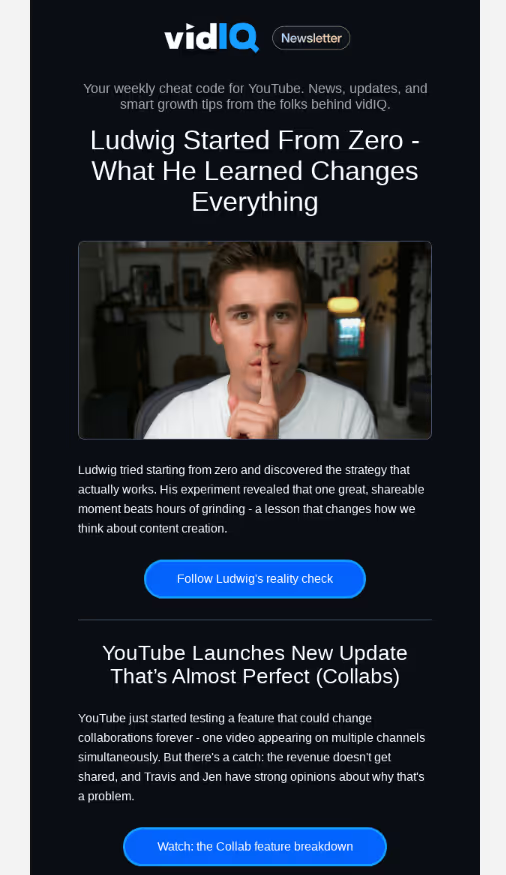
Example: VidIQ humanizes this email by leading with Ludwig's story instead of product features. The headline "Ludwig started from zero – took 5 hours for 1 viewer" drops you into a specific, painful moment every creator recognizes, making it feel like a real conversation about how hard streaming is at the beginning. From there, VidIQ uses Ludwig's journey as a narrative arc: starting with struggle (zero audience, 5-hour stream), then pivoting to how he improved and grew, and finally connecting that growth to the kind of support and insight VidIQ offers. This structure turns the email into a mini case study that's emotional and relatable, not robotic sales copy.
Pro Tip: AI rarely adds real human moments. Include small, relatable experiences that readers can empathize with to make the email feel authentic.
6. Pain-Point Callouts
Description: Name their #1 struggle + your 1-line solution.
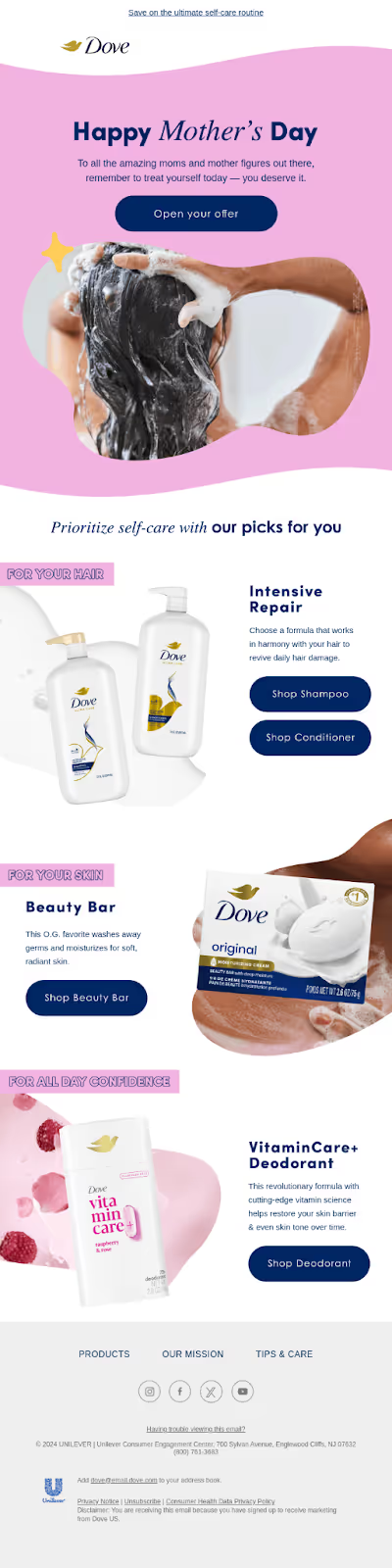
Example: Dove's email exemplifies pain point callouts by directly addressing common maternal struggles like exhaustion, self-neglect, and time scarcity through empathetic product curation. The subject line validates moms' desire to "feel their best" amid daily pressures, while curated personal care recommendations (e.g., skincare, wellness items) position Dove as a solution to post-partum recovery, sleep deprivation, and emotional fatigue. This Mother's Day-themed approach builds trust by showing understanding of real-life challenges, driving engagement via targeted relief rather than generic promotions.
Pro Tip: Command AI: "Generate 3 pain points for [audience like 'busy food marketers'], match each to [product benefits like 'hour-saving mixes'], phrase with empathy and questions."
7. Urgency with Personality
Description: Add "before [specific thing] runs out" with a casual tone.
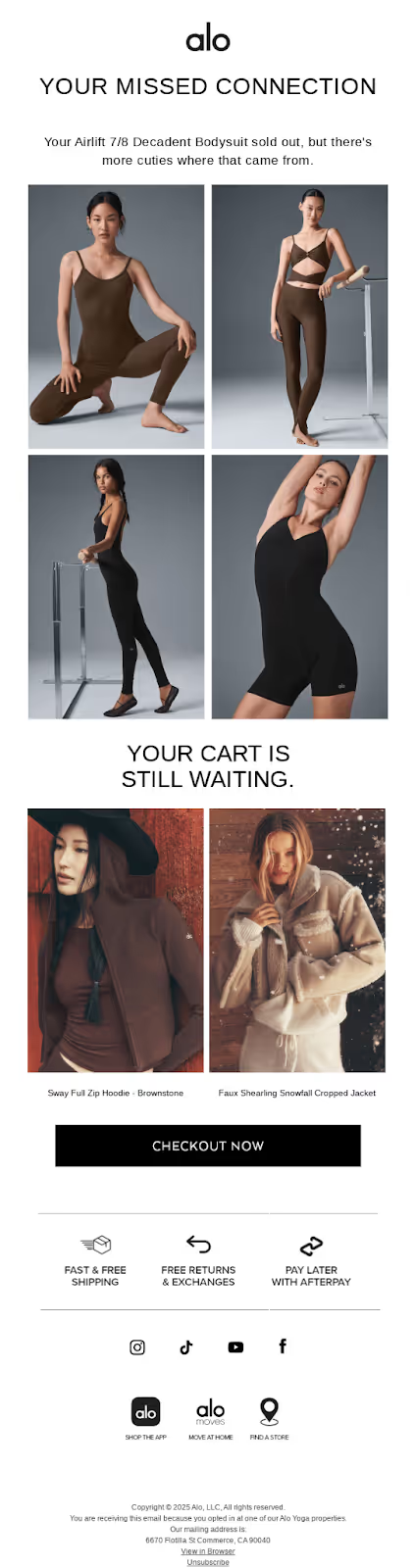
Example: Alo Yoga creates urgency in their "The Airlift 7/8 Decadent Bodysuit in your cart sold out" abandoned cart email through a direct, personalized subject line that highlights stock depletion, prompting immediate opens and FOMO (fear of missing out). Sold-Out Notification: The core message—"sold out"—signals scarcity, implying the exact item in the recipient's cart is no longer available, pushing quick action to alternatives. Personal Cart Reference: Naming the specific product ("Airlift 7/8 Decadent Bodysuit") ties urgency to the user's behavior, making it feel exclusive and time-sensitive. Alo Yoga adds brand personality via aspirational fitness imagery and subtle lifestyle nods, blending urgency with their zen, luxurious vibe rather than aggressive sales pressure.
Pro Tip: AI prompt: "Weave timed urgency into this [CTA text] using [past events like 'last chili drop sold out'], add personality like 'grab before it vanishes,' keep casual."
8. Bullet Benefit Lists
Description: 3-5 bullets max. Start each with an action verb + benefit.
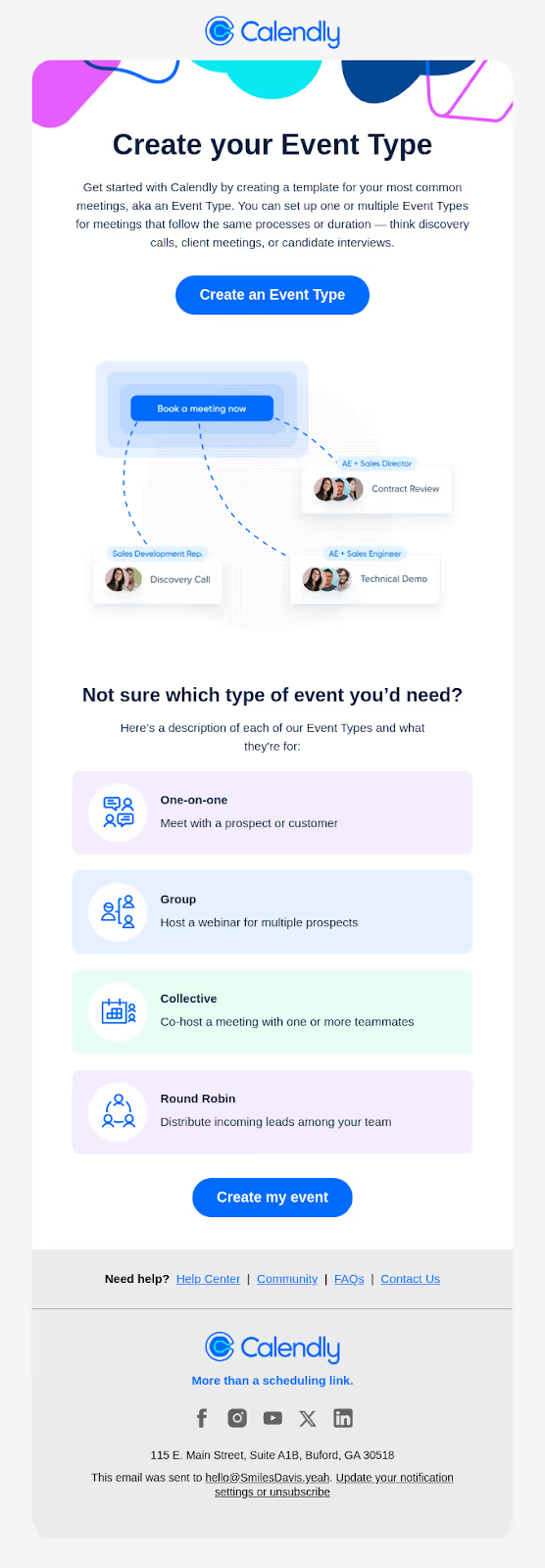
Example: Calendly's email uses crisp bullet points by keeping each line: Ultra-short and scannable – each bullet is a single, tight idea (e.g., one feature or benefit), so you grasp value in seconds instead of reading a paragraph. Benefit-first, not feature-dump – bullets focus on outcomes like saving time, standardizing meetings, or closing more deals, which makes them feel useful rather than technical. Parallel structure and simple language – every bullet starts with a similar verb-led pattern and avoids jargon, so the list reads smoothly and feels conversational instead of robotic.
Pro Tip: Direct AI: "Turn these [features list] into 4 benefit bullets, start each with action verbs like 'Save' or 'Taste,' one idea per line, parallel structure."
9. FAQ Resolution Emails
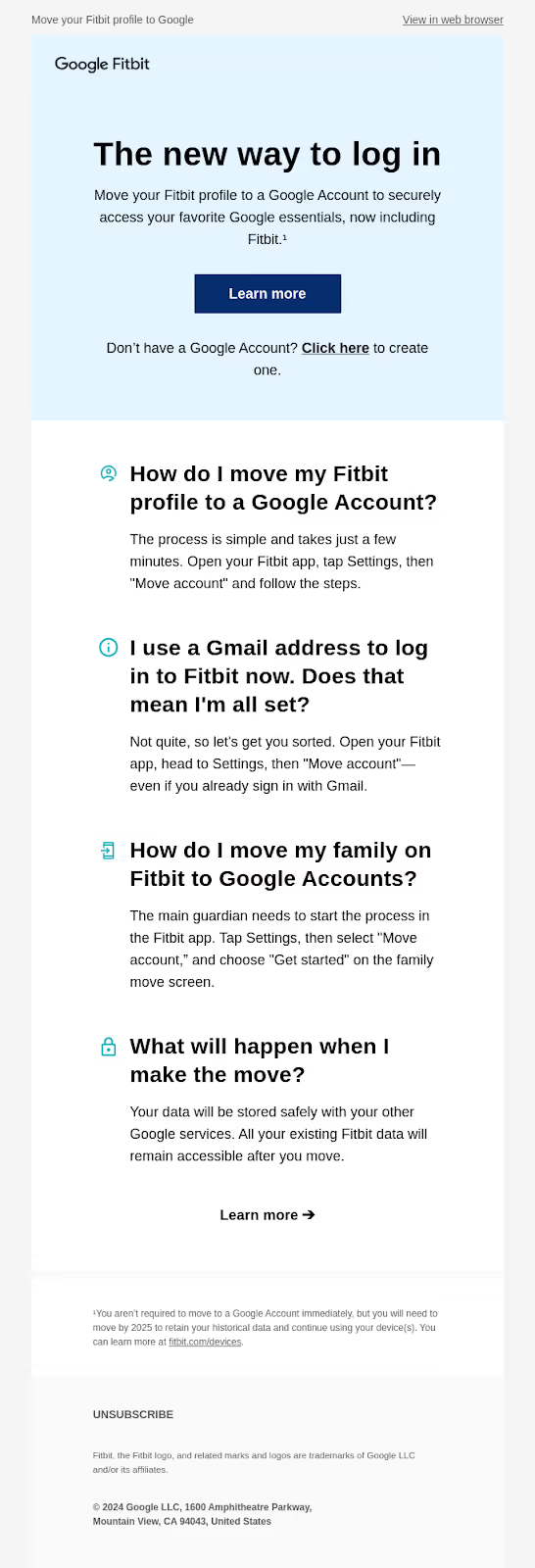
Structure emails as clear Q&A blocks that address common customer questions. Use simple, direct language and active verbs to guide readers step-by-step, making potentially stressful processes easy to follow.
Example: Fitbit uses an FAQ-style email to reduce friction during an account change. The hero section explains "The new way to log in" with a single CTA, and the body is broken into clear Q&A blocks like "How do I move my Fitbit profile to a Google Account?" and "What will happen when I make the move?", each followed by a short, reassuring explanation and step-by-step guidance. This format turns a potentially stressful change into a guided walkthrough that feels human and supportive.
Pro Tip: Make AI-generated FAQs feel conversational by reading each answer aloud; shorten long sentences, remove jargon, and add friendly cues (“you’ll see,” “just follow these steps”) to humanise robotic outputs.
10. Personalized CTAs
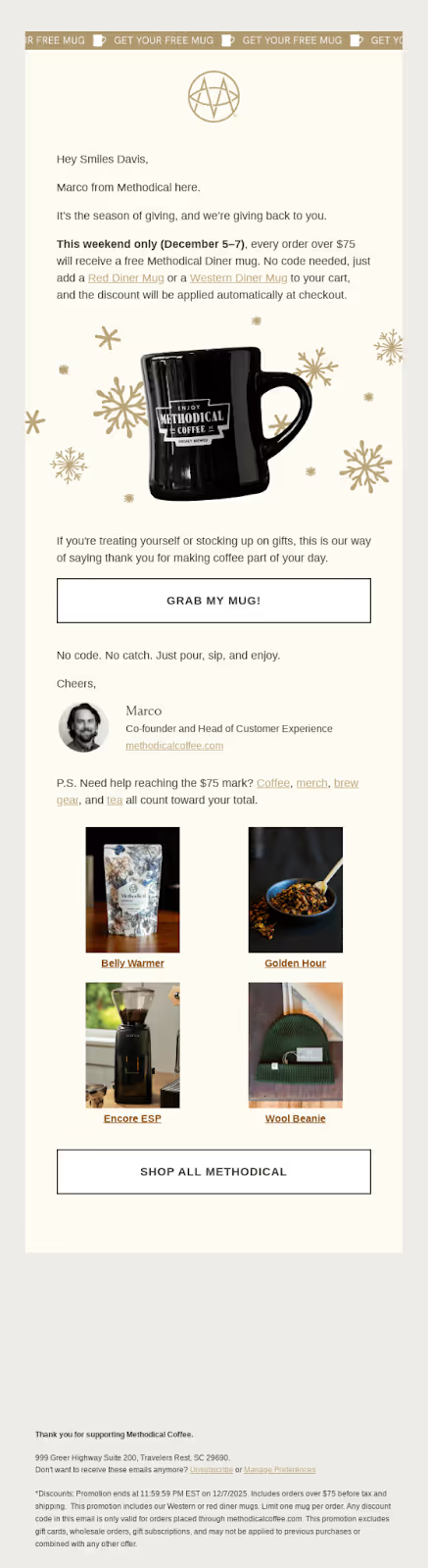
Description: Use 2 CTAs: 1 conversation starter + 1 themed buy button.
Example: Methodical Coffee uses personalized CTA for its gifting strategy where it gives a mug so it uses diff CTA aligned to their giveaway theme like "grab my mug" and then gives one more CTA to shop for other Methodical products.
Pro Tip: Prompt: "Build 2 CTAs: first a reply nudge with [name] and question, second a themed shop button for [giveaway like 'mug for busy nights'], emotional tie-in."
11. Social Proof Journeys
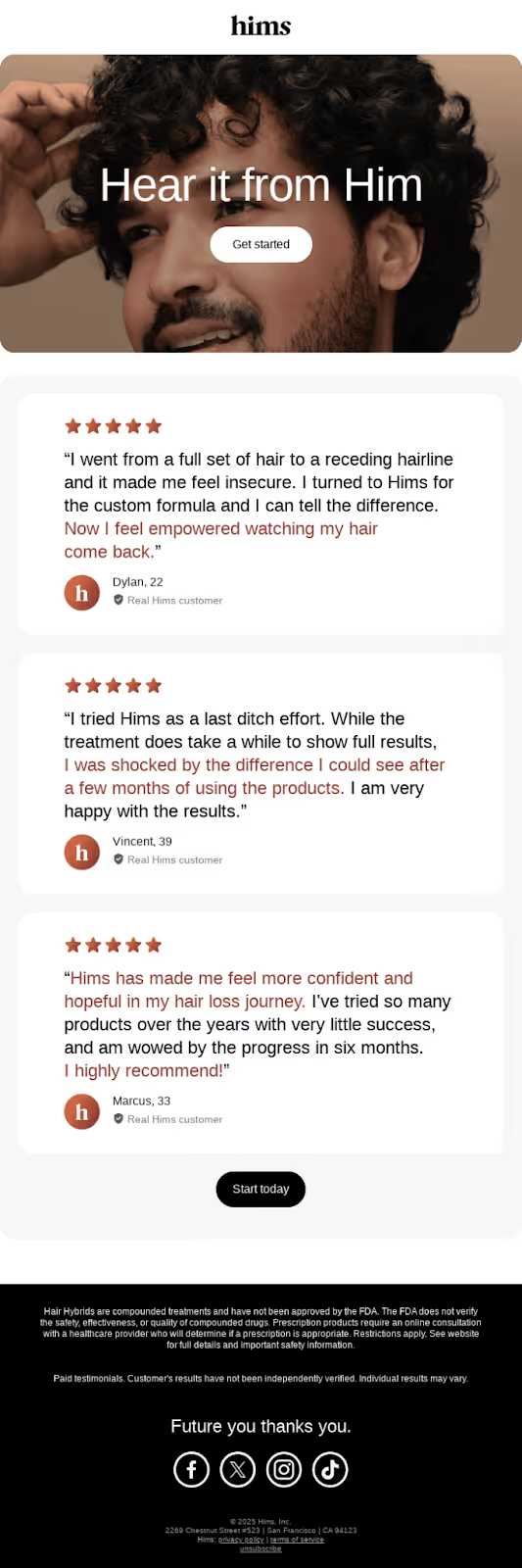
Description: Show progress over time instead of just a single result. Use real stories, timelines, and testimonials to make social proof feel genuine and relatable. This builds trust and demonstrates the actual impact of your product or service.
Example: Hims: The email “What a real hair regrowth journey looks like” shares multiple milestones over time instead of just before-and-after photos. Subscribers see a real progression, supported by timelines, progress images, and testimonials, which makes the email feel authentic and human.
Pro Tip:Use tools like Yarnit to create email copies that naturally weave in social proof while matching your brand’s tone and style.
Humanize AI Text and Let Your Emails Sound Like… You
People ignore emails that feel robotic. But the moment an email sounds like a real human wrote it—warm greeting, simple words, relatable emotions—readers pay attention.
Brands like Zomato, Alo Yoga, and MasterClass stand out because their emails feel personal, timely, and almost conversational. When you add that same human touch empathy, questions, small stories, behavior-based hooks—you give your emails a heartbeat.
And when you want that natural tone without spending hours tweaking drafts, the Yarnit Humanizer makes it easier. It gently removes stiff, AI-like phrasing and rewrites your lines so they sound smoother, clearer, and more “you”—all while keeping your message, voice, and intent intact. It’s the kind of polish that helps your emails feel written for people, not algorithms.
Try Yarnit Humanizer now and see the difference for yourself.


