


.avif)
Any editor worth their salt knows that AI-generated content has a problem. It's exceedingly bland, doesn't have any personality and is boringly middle-of-the-road. Because large language models are stochastic parrots and are subject to safeguards, the output often lands without the impact that good human writing can have
AI doesn't invent fresh analogies. It doesn't take risks. It produces text that feels like it was written by a committee, stripped of anything resembling human voice. Thanks to this, people are getting tired of seeing AI-generated content. You don’t need to be a literature major to spot it from a mile away. The rhythm is too predictable, the language too safe, and the ideas recycled through the mill of deterministic token generation.
But here's the thing: you need to use AI to stay relevant today. It might be a powerful tool when wielded correctly, but the real magic is knowing how to transform that generic output into something genuinely engaging. Something that sounds human.
This guide breaks down exactly how to do that, from preparation through final polish.
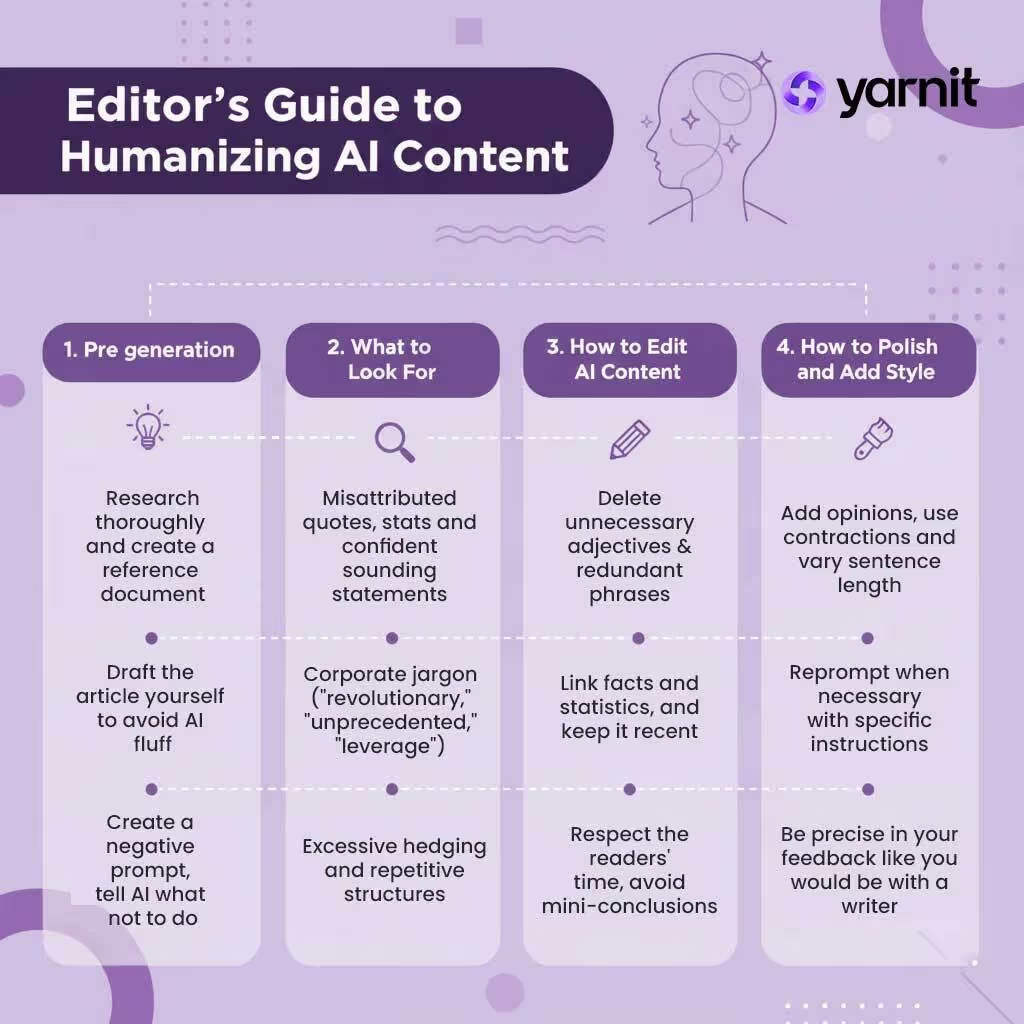
Pre-Generation Checklist: Set Yourself Up for Success
Most editing problems start before you even generate content. Poor preparation leads to poor output, which means more work fixing problems that shouldn't exist.
Start by researching thoroughly, don't expect AI to do this for you.
Use web search-enabled AI tools to compile information, but take the time to create a comprehensive research document yourself. Feed AI facts, examples, and context. Think of this as the raw material it needs to produce something worthwhile.
If you’ve worked with AI content in any capacity, you know that AI loves fluff. Left to its own devices, it'll pad out your content with unnecessary transitions, redundant explanations, and meandering tangents. To fix this, draft your article structure yourself: decide what sections you need, what order they should follow, and what each section should accomplish. Give AI the skeleton; don't let it build the bones.
Another key step is to create a negative prompt. Think of it as telling AI what not to do. This is critical. Specify word count limits. List forbidden words and phrases ("leverage," "innovative," "game-changing"). Define the tone you want to avoid. A negative prompt acts as guardrails, keeping AI from defaulting to its worst habits. Here’s a prompt we use to improve the quality of the initial output:
The blog should be around [WORD COUNT] words, very in-depth and helpful while also keeping SEO in mind. The keyword is how to [KEYWORDS], so integrate it into H2 and H3s and the content as well. Take reference from the attached articles and documents. Keep the overall text crisp and to the point, don't introduce unnecessary fluff. Don't come up with random stats or overarching assumptions. Keep the content aligned to the prompt. Make sure the intro has an editorial tone, hooks the reader while keeping it approachable.
Before hitting generate, read through your prompt again. Are your instructions clear? Have you missed anything obvious? A minute spent refining your prompt saves an hour of editing.
If you want to know more about the telltale signs of AI content, read our in-depth blog on the topic.
What to Look for in AI-Generated Content
Once you have AI output, you need to identify its weaknesses. Here's what typically goes wrong and what you should hunt for systematically.
AI hallucinates. It invents statistics, misattributes quotes, and confidently states things that aren't true. Verify dates, numbers, and claims against credible sources—Wikipedia, established blogs, industry reports. Don't assume accuracy just because the text sounds confident.
AI-generated content follows predictable patterns that give it away. These telltale signs scream artificial intelligence, and your readers will recognize them instantly. Watch for bland introductions that state the obvious, oversimplifications that ignore nuance, and excessive hyperbole. The most common markers include:
- Excessive hedging ("may," "could," "potentially")
- Repetitive structures where every paragraph follows the same pattern
- Corporate jargon ("revolutionary," "unprecedented," "leverage")
How to Edit AI Content to Make It More Human
Now comes the real work: transforming that AI draft into something readable. This is where you stop being passive and start actively shaping the content.
Cut Ruthlessly
AI produces loose, wordy text. Human writing is tighter. Delete unnecessary adjectives, redundant phrases, and entire paragraphs that don't earn their place. Every sentence should justify its existence. Choose concrete, specific language over vague generalities. Replace "utilize" with "use." Swap "numerous" for an actual number. Make your writing denser and more precise.
Update and Link Facts Properly
If you cite statistics or reference studies, link to them. Make sure information is current. Outdated data undermines credibility, and lazy sourcing makes readers question everything else you've written.
Respect Your Reader's Time
Don't recap after every section. Trust your reader to follow along. Avoid mini-conclusions that state what you just said. Keep the narrative moving forward instead of constantly looking backward.
Read for Flow
Does the text move logically from point to point? Are transitions smooth? Read the piece aloud—awkward phrasing becomes obvious when you hear it. If something makes you stumble, rewrite it.
How to Polish and Add Style
Editing isn't just about removing problems; it's about adding personality. AI defaults to neutral, and you need to override that. Add opinions. Use contractions. Vary sentence length. Include the occasional fragment for emphasis. Make it sound like a person wrote this—because ultimately, you're the one responsible for the final product.
Re-Prompt When Necessary
If a section isn't working, don't waste time fighting with it. Re-prompt AI with more specific instructions, or rewrite it yourself. Sometimes starting fresh is faster than editing. Recognize when you're stuck and change tactics.
Be Precise in Your Feedback
If you're iterating with AI, avoid vague instructions like "make this less bland" or "improve the vibe." Specify exactly what's wrong: "Remove hedging language," "Add a concrete example," "Rewrite with shorter sentences." Treat AI feedback like you would editorial notes to a writer—be clear about what needs fixing and why.
Test Your Introduction
Your intro determines whether people keep reading. Read it multiple times. Does it hook you? Would you keep going? If not, rewrite until it does. This is non-negotiable. A weak intro kills the entire piece, no matter how strong the rest is.
Final Checks on AI-Generated Content
Before publishing, do two separate reads. First, skim through quickly to catch structural problems. Look for smooth flow between sections, proper use of formatting (headings, lists, emphasis), appropriate paragraph length, and unnecessary mini-conclusions or recaps. This fast read catches big-picture issues that slow readers down or break their concentration.
For the the slow read go line by line, hunting for:
- Redundant words and phrases
- Weak verbs that could be stronger
- Adjectives that add nothing
- Sentences that repeat information
- Passive voice that could be active
Key Takeaways
Humanizing AI content requires active editing. Here's what matters most:
- Prepare thoroughly before generating content—research, structure, and clear prompts matter
- Identify AI patterns and weaknesses systematically
- Edit ruthlessly, focusing on density and precision
- Add personality and style deliberately
- Verify facts and update links
- Test your introduction until it hooks readers
- Read through multiple times with different focuses
Tools like Yarnit's Humanizer feature can help streamline this process. It identifies and removes overt AI-generated language patterns, making the editing job easier. It doesn't replace human judgment—you still need to add your voice, verify facts, and make strategic decisions—but it handles the mechanical work of detecting and flagging AI tells. Think of it as a first-pass editor that speeds up your workflow.
Apply the principles from this guide to customize how you use such tools. The goal isn't to eliminate AI from your process; it's to use AI as a starting point, then transform that output into something genuinely worth reading.


