


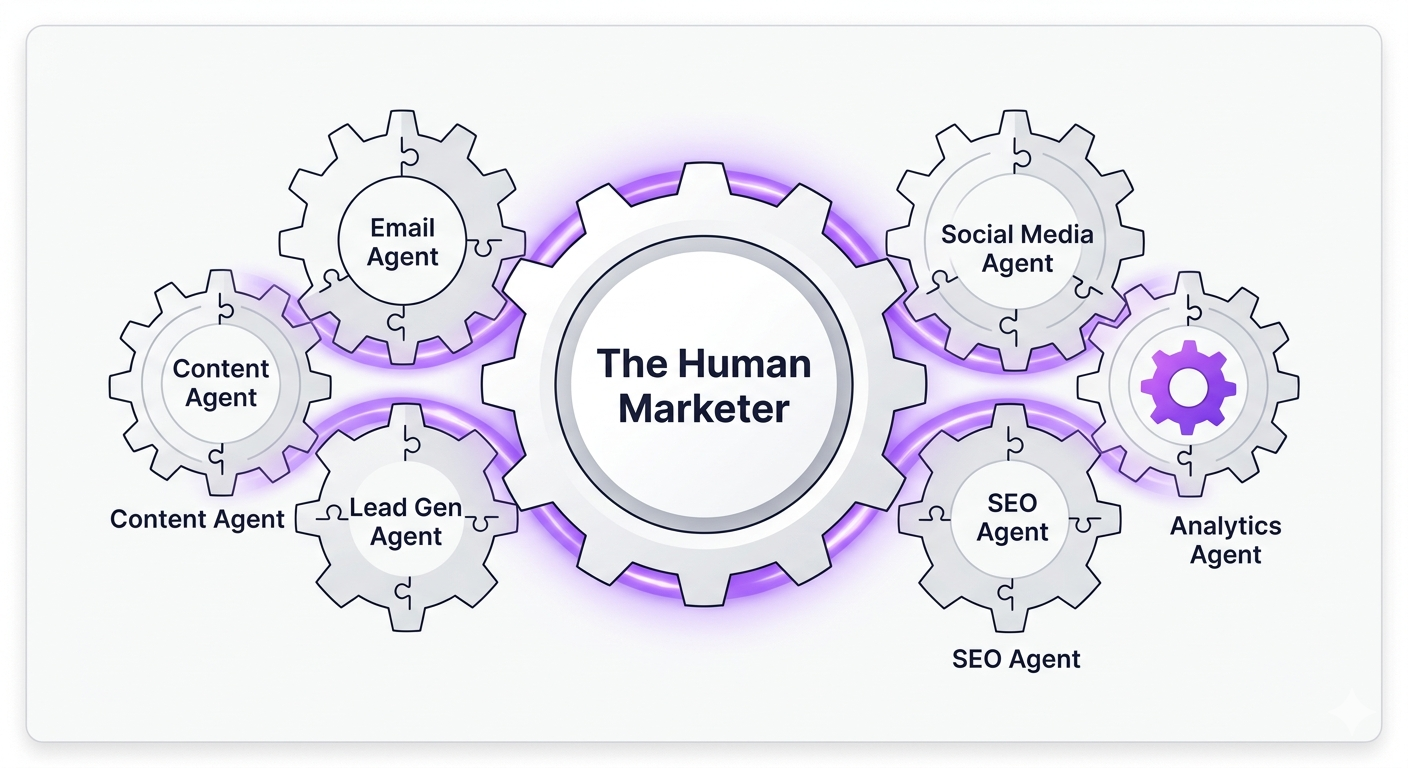
There are currently over 15,000 marketing technology tools in existence. Fifteen thousand. That number has grown 10,000% since 2011, and 77% of the tools launched last year were built as AI-native products.
Your company uses maybe 20 of them. And according to Gartner, you're actively using about 33% of what those 20 tools can actually do.
This is the context in which everyone is now talking about AI agents. Not a clean, connected ecosystem waiting to be automated — but a patchwork of half-integrated tools, data that doesn't quite sync, and workflows that run partly on software and partly on someone's memory of how things are supposed to work.
So when someone says "just plug an AI agent into your stack," the honest response is: plug it into what, exactly?
This post is about answering that question properly. What does a realistic connected agent stack look like? What is the connective tissue that makes it work?
Beginner’s Guide to Connecting Tools Together
Before you can have agents that act across your stack, your tools need to actually talk to each other. Three mechanisms make this happen, and understanding the difference will save you hours of frustration.
APIs (Application Programming Interfaces) are the full communication channel. App A can ask App B for data, push data to it, update records, delete things — it's a two-way conversation. Most serious marketing tools (Salesforce, HubSpot, Google Ads) expose APIs. The catch: someone has to write code to use them, or you use a middle layer that abstracts the complexity away.
Webhooks are simpler and more specific. When something happens in App A (a form is submitted, a deal changes stage, a payment clears), a webhook automatically fires a notification to App B. No polling, no repeated requests — just a real-time ping. It's one-directional and lightweight. Think of it as App A texting App B to say "something just happened, here's the data." Webhooks are how your eCommerce platform tells your email tool about a new order, or how your CRM alerts Slack when a lead goes MQL.
Zapier / Make.com / n8n are the translation layer for non-developers. They sit between your tools, catch triggers (via API or webhook), and execute actions — no code required. They're not a replacement for webhooks or APIs; they're a user-friendly way to use them without calling your developer.
The reason this matters for agents: an AI agent is only as useful as the data it can access and the actions it can take. An agent that can't connect to your CRM can't update a lead's status. An agent that doesn't receive a webhook when a new contact is created can't react to it. The pipes aren't optional — they're the prerequisite.
The Anatomy of a Connected Agent Stack
Here are the five layers any agent stack needs to have covered:
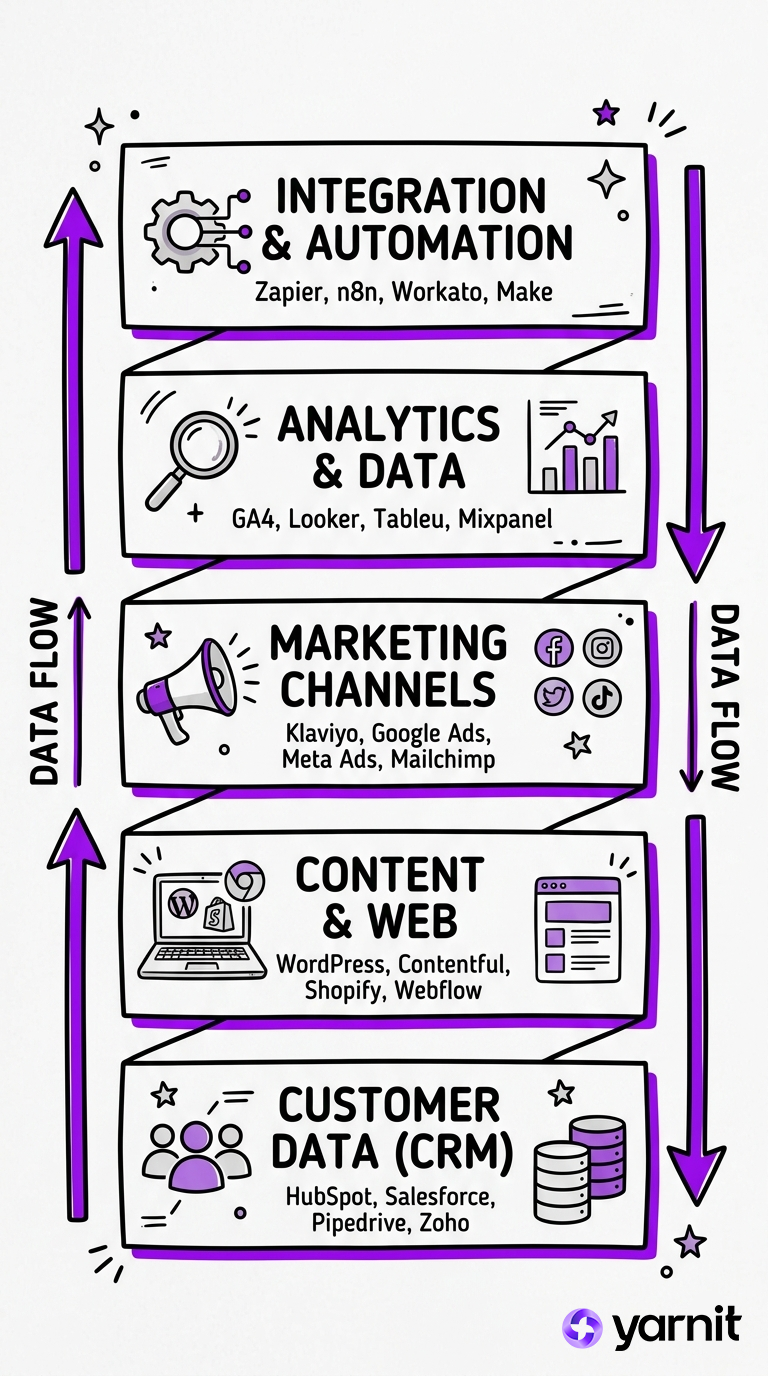
Layer 1 — Data Core (CRM/CDP) This is where your customer and lead data lives. HubSpot, Salesforce, or even a well-maintained Notion database for very small teams. Agents that don't have read/write access here are fundamentally limited — they can generate content, but they can't act on who your customers actually are.
Layer 2 — Content Surface (CMS + DAM) Where content is published and assets are stored. WordPress, Contentful, Webflow, plus a DAM like Bynder or even a shared Google Drive. Agents that create content need somewhere to put it — and they need brand assets, guidelines, and approved templates to pull from.
Layer 3 — Distribution Channels (Email, Ads, Social) Mailchimp, Klaviyo, Google Ads, Meta Ads Manager, LinkedIn Campaign Manager. These tools have APIs. An agent that can write copy but can't push it to an email campaign or an ad set is doing half the job.
Layer 4 — Analytics & Signals (Data In) Google Analytics 4, HubSpot analytics, your ad platform dashboards. Agents that can read performance data can start making decisions — pausing underperforming campaigns, flagging anomalies, adjusting recommendations. Without this layer, agents are flying blind.
Layer 5 — Orchestration (The Glue) Zapier, Make.com, or n8n — this is what connects everything above. It's also where your AI agent node actually lives: receiving triggers from Layer 4, reasoning about what to do, and firing actions into Layers 1–3.
What Nobody Tells You About Integration Tax
Here's the part most AI agent guides skip: every integration you add creates maintenance overhead. Google changes its Ads API. HubSpot updates its webhook structure. A tool you depend on gets acquired and changes its pricing tier. LinkedIn decides to deprecate a specific endpoint.
This isn't a reason not to build agents. It's a reason to build fewer, better-integrated agents rather than a sprawling automation web that nobody fully understands. The average marketing team already employs somewhere between 20 and 29 martech tools. Adding AI agents on top of an already-fragmented stack without cleaning up the underlying integration is a reliable way to create more complexity, not less.
The question before you build isn't "what can I automate?" It's "what's the smallest number of high-impact automations that will actually be maintained and trusted by my team?"
When Your Stack Outgrows DIY
Individual agents, even well-built ones, have a ceiling. They're great when one person builds and owns them. They get fragile when that person leaves, changes roles, or just gets busy. They scale poorly when the same agent needs to serve a brand manager, a demand gen lead, and a paid media specialist — all with different definitions of "good output."
At a certain point, what you need isn't another Zapier workflow. You need an AI layer that's actually designed to sit inside your marketing infrastructure — one that understands your brand, your audience segmentation, your approval workflows, and your content calendar — without requiring a dedicated ops engineer to keep it running.
That's the problem Yarnit for Enterprise was built to solve. It's not a prompt tool bolted onto your existing stack. It's a platform that plugs your AI content and campaign workflows directly into the systems your marketing team already lives in — with brand governance, multi-format output, and the kind of workflow integration that makes agents useful across a whole organisation, not just for the one person who figured out n8n.
The agent stack you build yourself teaches you what's possible. Yarnit is where that possibility becomes something your whole team can actually rely on.


