


AI video is easier than ever to make. That’s exactly the problem.
Tools are everywhere. Tutorials are endless. What's missing is a simple answer to the question: which type of AI video should I be making, and with what?
The average enterprise is now running 3.2 different AI video tools simultaneously. They tried one tool, then another, then a third when someone on the team saw a Twitter thread. Now they have subscriptions they barely use and no clear sense of what belongs where.
The AI video market hit $18.6 billion in 2026, up from $5.1 billion in 2023. Production costs dropped 91% in the same window. The access problem is genuinely solved. What's not solved is the strategy problem: too many marketers are using the wrong format for the wrong job, and wondering why the results are underwhelming.
So here's the cheat sheet. AI video, for marketing purposes, breaks into three distinct formats: generative B-roll and ad creative, UGC-style talking head videos, and branded avatar content. Each one has a different logic, a different performance profile, and a different set of tools built for it. Get the match right, and AI video works. Get it wrong, and you're producing content that looks like everyone else's, converts like nobody's, and costs you time you don't have.
1. Generative B-Roll Ad Creative
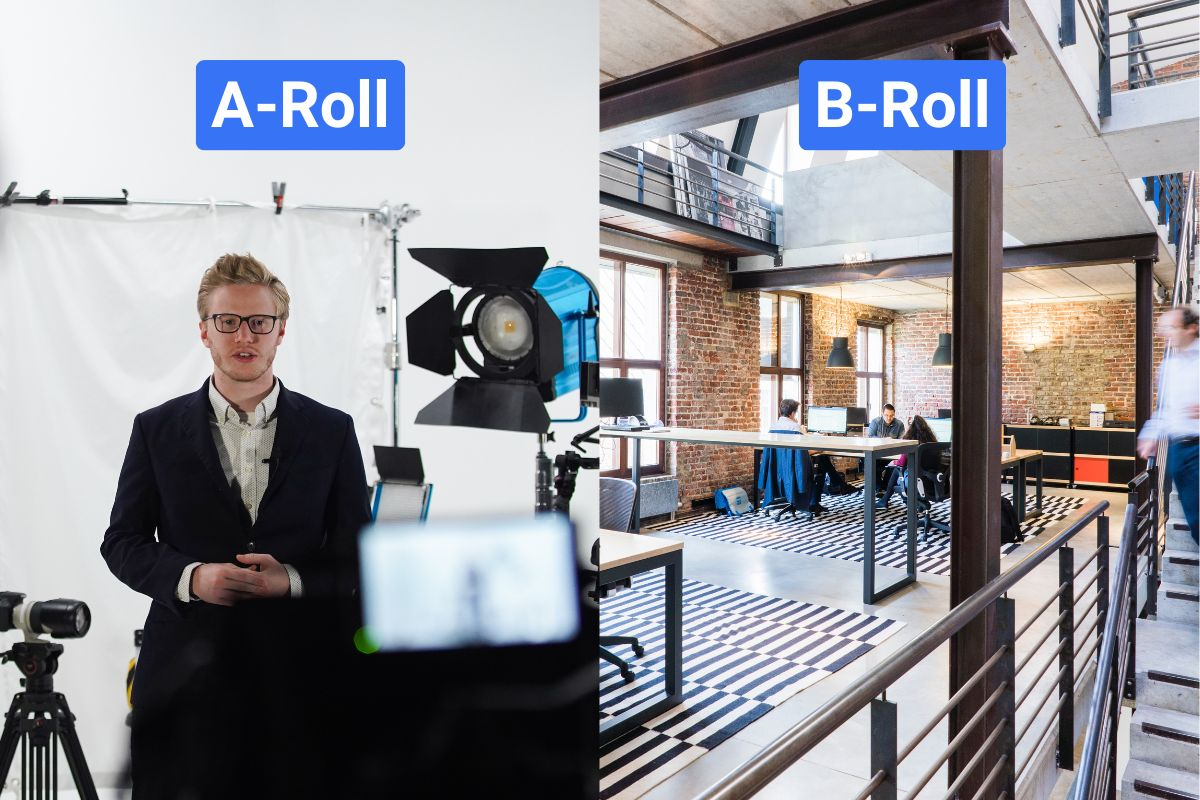
This is the format most people think of when they hear "AI video." You're not putting a person on screen. You're generating scenes, motion, and visuals from a prompt or a product image, then building an ad around it.
Reach out to this format when you're generating video footage from a prompt or a product image, no person on screen, no avatar. The output is scenes, motion, and visuals that you use as standalone ads or cut into a larger production.
Reach for this format when:
• You need high-volume ad variants fast for A/B testing across Meta, TikTok, or YouTube Shorts
• You have a static product image that needs to become a motion asset for Google Ads
• You're producing localised campaign cuts for multiple markets and can't shoot in each one
• You need cinematic B-roll for a brand film without the crew and location costs
The tools, and when each one makes sense
Best for: Physics-accurate realistic footage; product image-to-video directly inside Google Ads
Why it stands out: Native synchronised audio generation. Now integrated into Google Ads, so product images become publish-ready video without leaving the platform
Best for: Teams that need creative control over existing footage, not just generation from scratch
Why it stands out: Text-to-video, image-to-video, and AI editing all in one workspace. The strongest option for agency and production-heavy workflows that need to transform footage, not just generate it
The mistakes that kill performance here
1. Committing to a full production run before testing the same prompt on at least two platforms, motion quality and prompt adherence vary enough that results can be dramatically different across tools
2. Using text-to-video when the brief requires brand-accurate product visuals, always use image-to-video for product work
3. Adding audio in post when the brief needs synchronised sound, prioritise models with native audio generation built in and save yourself the post-production step
2. UGC-Style Talking Head Videos
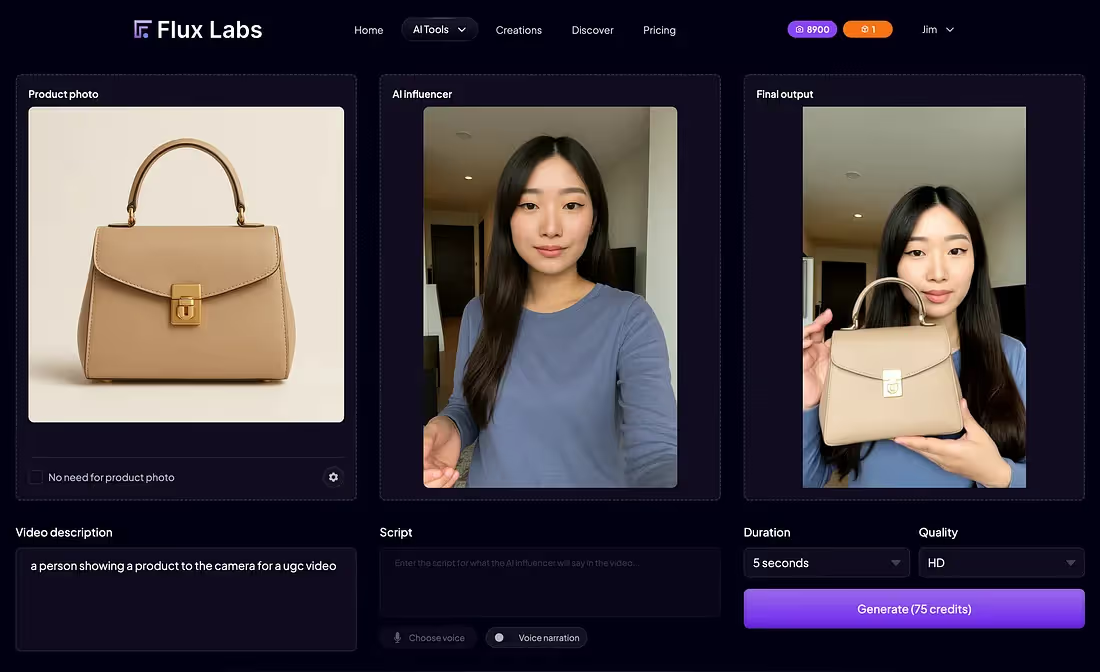
This is the format that's eating paid social right now, and for good reason. A person on camera, speaking directly to the viewer, recommending a product or sharing a result. Except the person is an AI avatar, the script took twenty minutes to write, and the whole thing cost roughly the price of a coffee.
Reach for this format when:
• You're running paid ads on Meta, TikTok, or Instagram Reels and need creative that doesn't look like an ad
• You need product testimonials or reviews at scale without sourcing and coordinating real creators
• You want to test 10 or more script variants without a single reshoot, different hooks, different CTAs, different emotional tones
• Your real UGC creator pipeline is too slow for your testing cadence
The thing most guides don't tell you
The avatar is not why this format works or fails. The script accounts for 80% of a UGC video's performance, whether the presenter is human or AI. A flat hook on a perfect avatar will still convert like a flat hook. Before you spend a minute on avatar selection or tool choice, get the script right.
Script rules that actually matter for this format:
• Write in sets of three: one problem-led hook, one curiosity-led hook, one social-proof-led hook, run them against each other and let data decide
• Open with a problem, not a product. "I was breaking out every week despite spending $400 on skincare" converts better than "Introducing our new skincare system"
• Keep sentences under 12 words. Long sentences flatten out under AI delivery. Short sentences create rhythm. Rhythm sounds human
• Use contractions always. "We're" not "we are." "You'll" not "you will." Formal constructions immediately signal AI
• Read every line out loud before finalising. If it's clunky coming out of your mouth, it'll sound worse coming out of a synthetic one
The tools, and when each one makes sense
Best for: Teams where avatar realism and UGC authenticity are the primary criteria, performance advertising on paid social
Why it stands out: Built specifically for performance advertising, not general-purpose video. The most realistic AI actor library currently available. Strong for direct-response Meta and TikTok campaigns
Best for: Ecommerce teams that need to go from product URL to published ad variant as fast as possible
Why it stands out: URL-to-video generation with built-in A/B testing. The fastest path from brief to creative, useful when speed matters more than avatar customisation
The mistakes that kill performance here
1. Watching the final cut with sound on only, always run the silent test. If the avatar's expression and pacing don't communicate intent without audio, the video isn't working hard enough
2. Pick avatars that blink and shift eye line naturally, viewers judge believability in the first two seconds, and a fixed stare registers as off before anyone consciously processes why
3. Skipping the caption accuracy pass, errors in on-screen text destroy trust faster than any visual glitch in the avatar itself
3. Branded Avatar and Spokesperson Content
What it is and when to reach for it
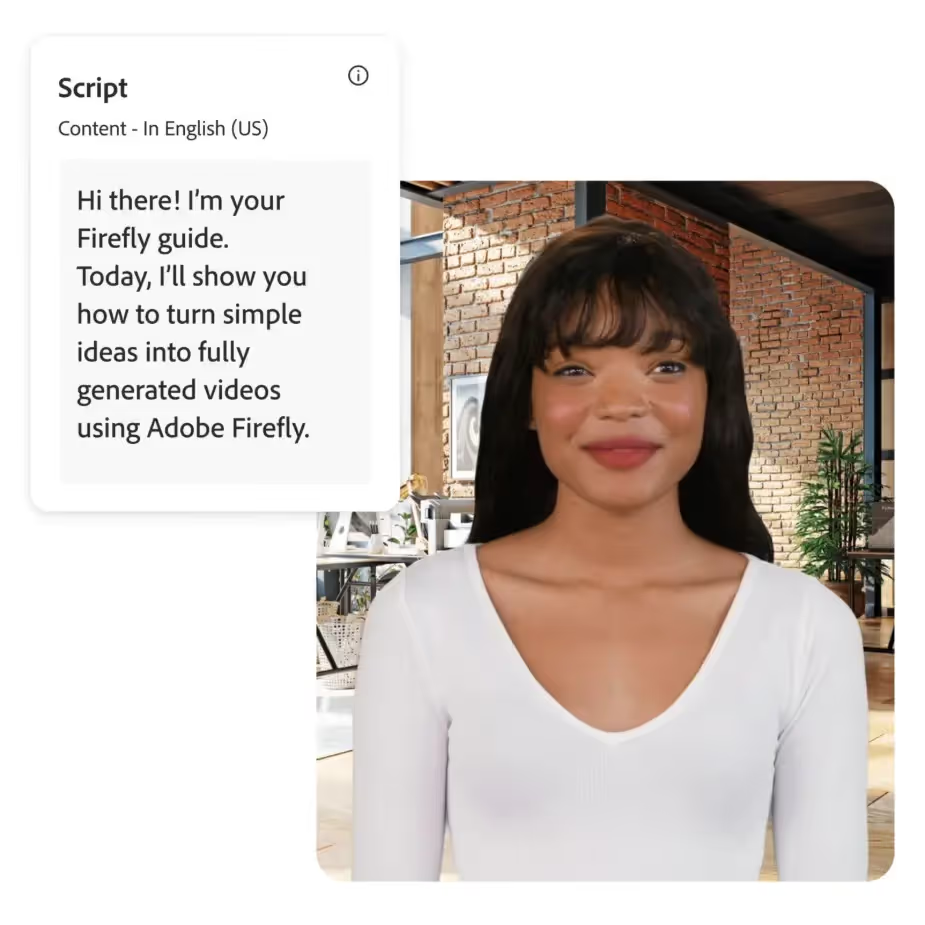
This is the format that gets the least coverage in "how to make AI ads" conversations, but it's where the most durable business value is being created. Instead of a stock avatar delivering a one-off script, you're building an owned digital human, a consistent face and voice that represents your brand across training videos, internal communications, product demos, sales enablement, and global campaigns.
Reach for this format when:
• You need a consistent brand spokesperson across dozens of videos without scheduling filming sessions
• You're producing enterprise training or onboarding content that needs to exist in multiple languages
• Your sales team needs personalised outreach videos at scale — same face, different name, different product angle
• An executive needs to be present in market-specific content across multiple regions without travelling to each one
The tools, and when each one makes sense
Best for: Enterprise teams that need compliance, governance, and structured workflows above all else
Why it stands out: SOC 2 Type II compliance, SSO, role-based access, approval workflows, version history. Companies like Heineken and DuPont use it for scaled internal video production. Supports 140+ languages.
Best for: Teams building custom digital twins for external-facing content — personal branding, multilingual spokesperson videos, sales outreach at scale
Why it stands out: 175+ languages, the widest coverage available. Digital Twins feature lets you upload your own face and voice, then produce content in 30+ languages with lip-sync intact.
The mistakes that kill performance here
1. Underinvesting in the avatar creation session, the quality of the base recording or photo set determines every output downstream. A poorly framed, poorly lit source image produces a credible digital twin exactly as often as you'd expect, which is never
2. Skipping the lip-sync stress test, always test on product names, technical terms, and numbers in every target language before a full production run
3. Building a digital twin without a brand voice brief, define tone, pace, energy level, and style before generation. Trying to course-correct after the avatar is built is significantly harder than getting the brief right first
The At-a-Glance Decision Table
If you're in a meeting and someone asks which format the team should produce, run the situation through this table.
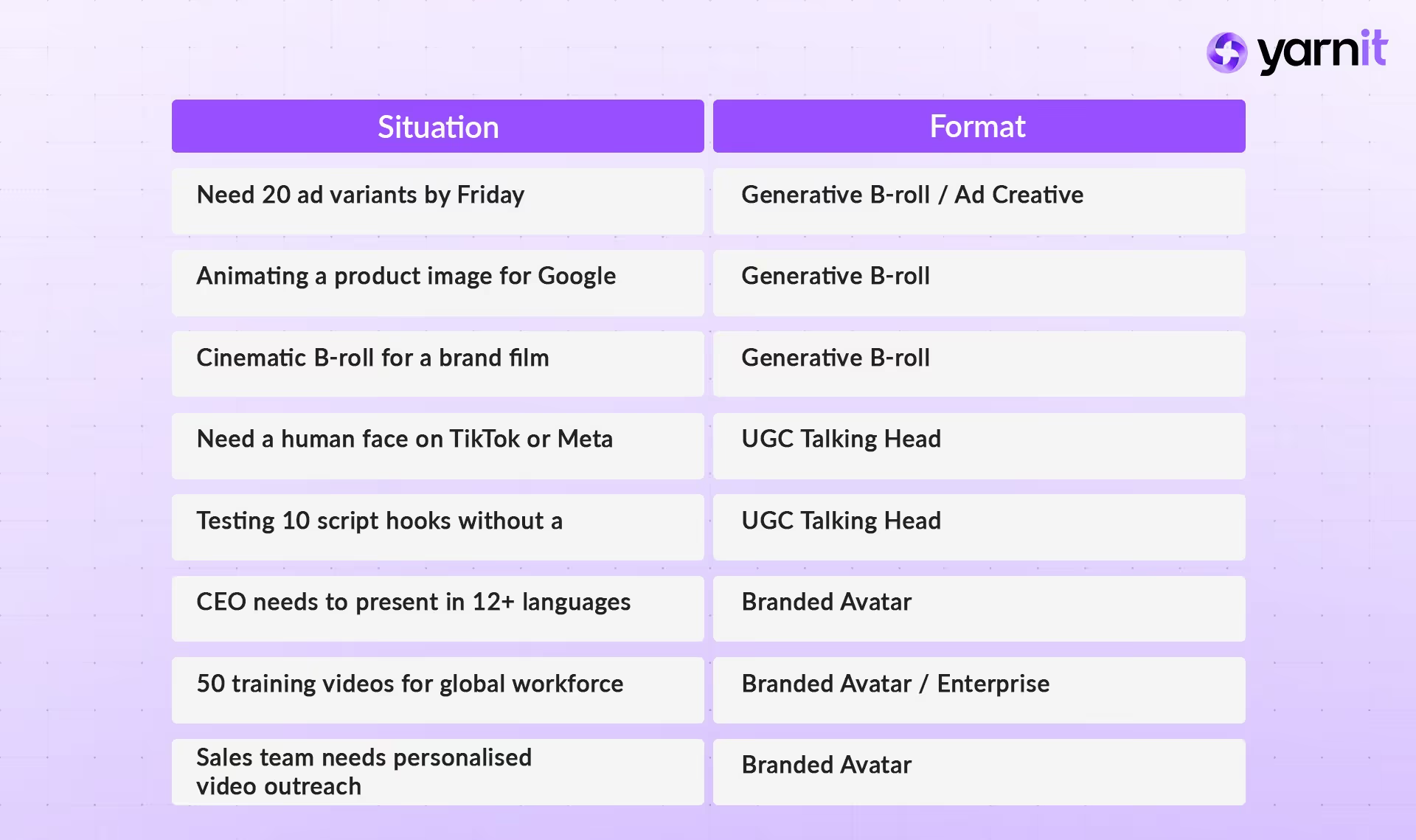
The brands getting results from AI video in 2026 aren't using the most tools or spending the most. The ones winning are producing the most relevant content at the highest frequency — and they're doing it because they treat each format as a distinct production decision, not a single category called "AI video."
Generative B-roll is a volume and speed play. UGC talking heads are a performance advertising play. Branded avatars are a consistency and scale play.
Pick the format that fits the job. Pick the tool that fits the format. Build the checklist. Run the compliance pass. Then ship.
And if you’re thinking about how to streamline this entire workflow end-to-end — from script to scalable video output — stay tuned. Yarnit will soon be launching AI video capabilities designed to help teams move faster without losing control of quality or brand consistency.


