Learn which LinkedIn video formats are driving the highest engagement for B2B brands in 2026. Discover proven content types, best practices, and platform features to grow your reach and build trust.
I still remember when posting a video on LinkedIn felt a bit like showing up to a black-tie dinner in a tracksuit. It didn't fit. The platform was built on text posts, PDFs disguised as "insights," and the occasional humble-brag about a promotion. Video felt like something that belonged on Instagram, not here.
That's not true anymore, not even close. LinkedIn's own data shows video views jumped 36% in a single year, crossing 154 billion. But I'll be honest about the part most "video is booming!" posts conveniently skip: posting more video doesn't automatically mean more people see yours. One report that tracked 1.8 million posts found company page reach has actually fallen by 60% or more over the past couple of years. LinkedIn got pickier about what it shows, right around the same time everyone started uploading more of it.
So this isn't a "just start posting video" guide. It's more specific than that: which formats are actually earning attention on B2B LinkedIn right now, why they work, and what to do with LinkedIn's own tools to give them a real shot.
Why video works so well for B2B Businesses
B2B deals are slow and involve a lot of people who never talk to a salesperson before making up their mind. Most of that trust-building happens quietly, while someone's scrolling their feed on a Tuesday afternoon. A video does something a paragraph can't: it lets a stranger hear your tone, see your face, and decide in ten seconds whether they trust you.
Socialinsider's benchmark study of 1.3 million posts found LinkedIn's average engagement rate sits around 5.2%, comfortably ahead of Facebook or Instagram. That's because people on LinkedIn are in "work mode," actively looking for signals about who to trust professionally. Video, done right, is one of the fastest ways to give them that signal.
One more thing worth knowing before you plan anything: only about 15% of views on a typical LinkedIn video come from people who don't already follow you. That's your actual cold audience, the people deciding whether you're worth a follow based on nothing but what they see in the first few seconds. Everything below is built around winning that narrow window.
The B2B video formats that are actually working right now
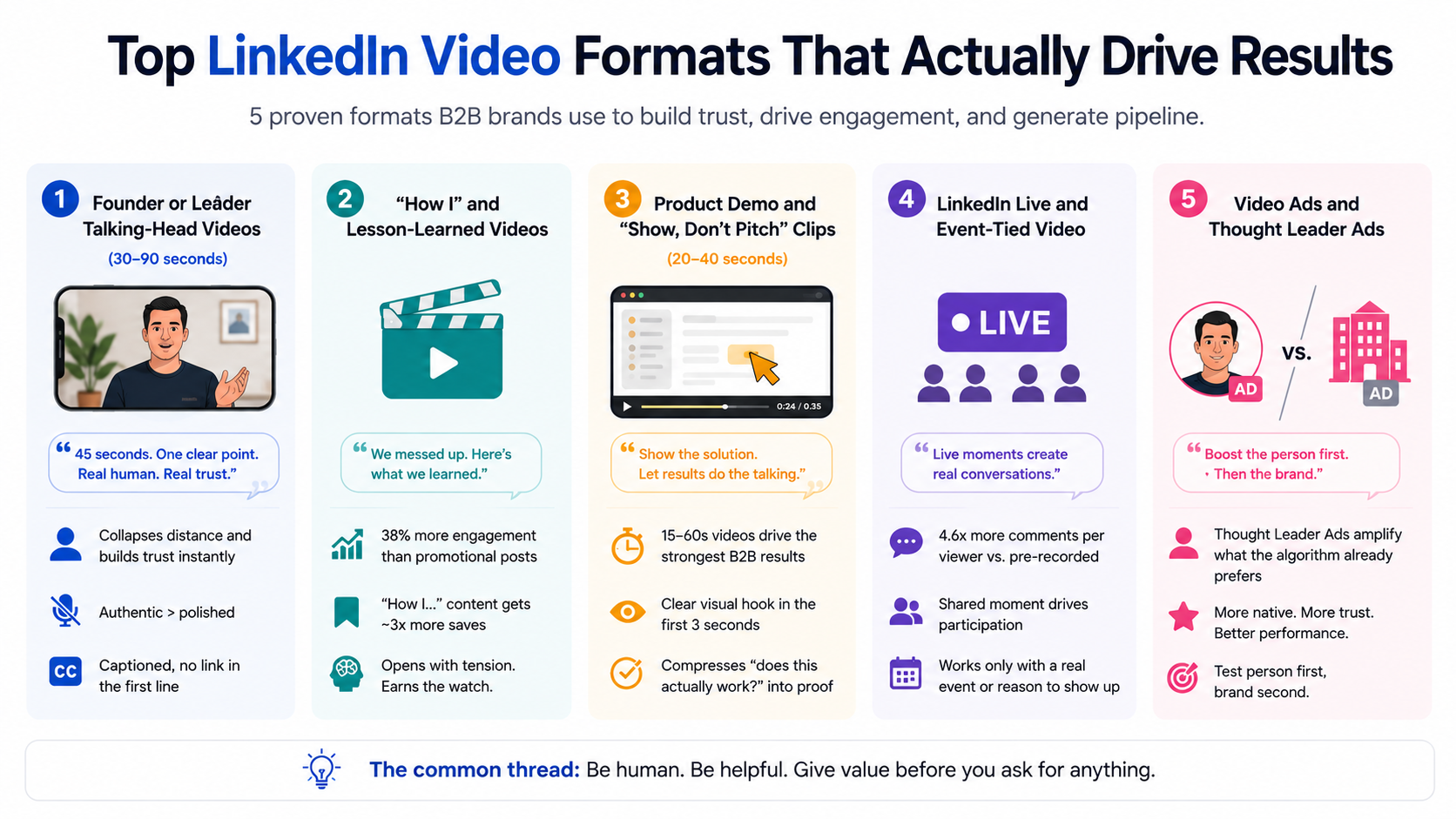
1. Founder or leader talking-head videos (30–90 seconds)
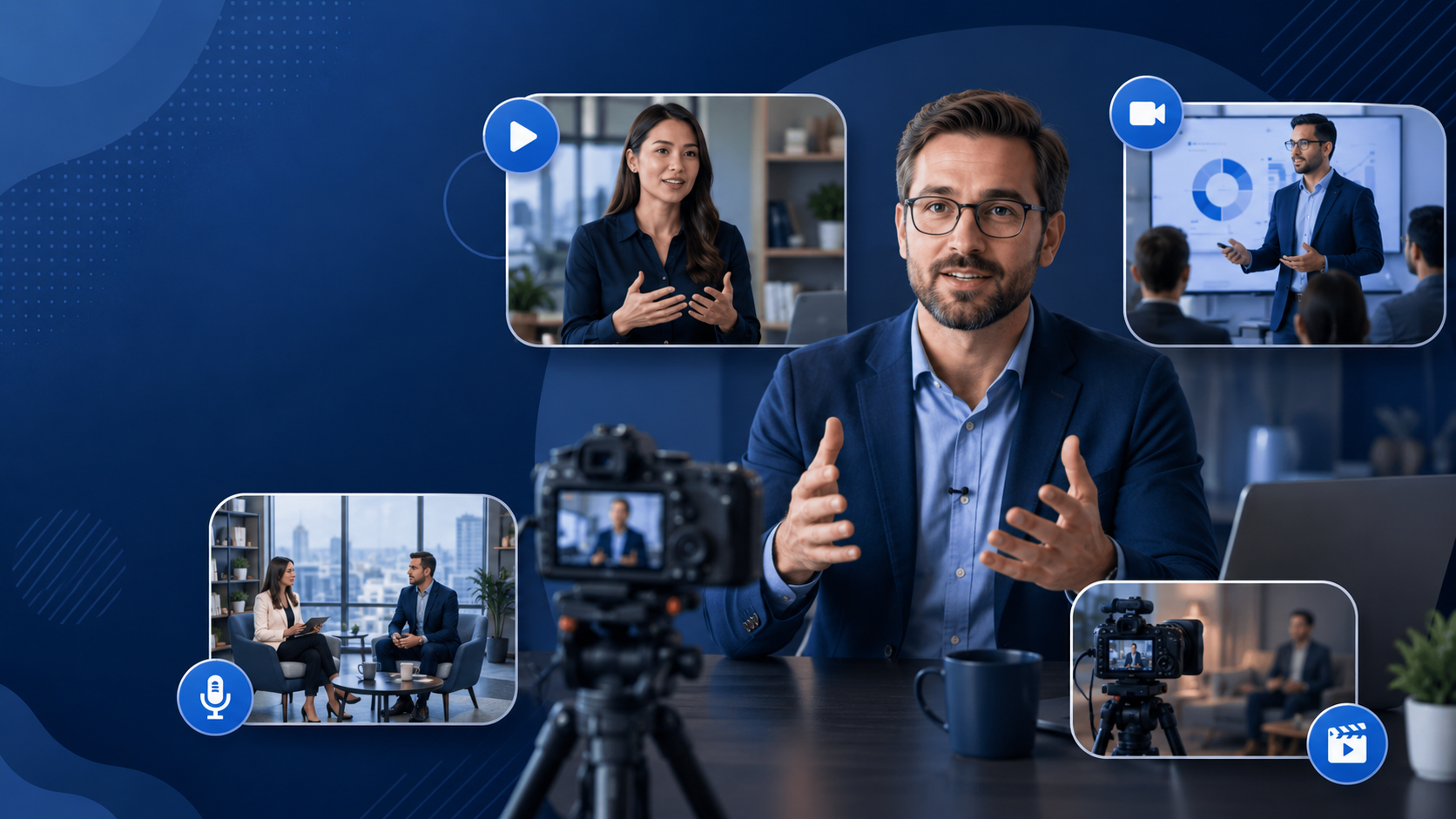
This is the least glamorous format on this list, and also the one doing the most work. One person, camera-facing, making one clear point, filmed on a phone with zero production value.
Here's why it works: when someone's never heard of your company, a company-page post feels institutional, like it went through five rounds of approval. A person looking straight at the camera collapses that distance immediately. It reads as "a real human is willing to say this, unscripted," which is exactly the trust signal a cold prospect is looking for. This is also why overly polished video can actually hurt you here, too much gloss reads as "corporate," which undoes the whole point.
The version of this that works in practice: a 45-second clip of a founder reacting to a customer win, or a sales lead explaining what almost went wrong on a deal. Captioned, no link in the first line (LinkedIn's algorithm still buries posts that push people off-platform), and definitely not scripted word for word.
2. Native "how I" and lesson-learned videos
Wave Connect's analysis found that posts structured around a personal story or lesson generate 38% more engagement than promotional posts, and that "how I..." framed content generates roughly 3x more saves than listicle-style posts. Translate that into video and you get things like a sales leader walking through why a deal was lost, or an ops lead narrating a process failure and the fix. It works because it's the opposite of a case study: it admits something didn't go to plan first, then earns the resolution.
The reason this outperforms a polished case study is sequencing, not honesty for its own sake. A case study opens with the win, so the viewer already knows how it ends and has no reason to keep watching. A lesson-learned video opens with unresolved tension, which is what earns the watch-through, and watch-through is the exact signal LinkedIn's ranking model uses to decide whether to keep showing the video to more people. The save behavior tracks the same logic: people don't bookmark polished wins, they bookmark specific, applicable mistakes they can check against their own situation later.
3. Product demo and "show, don't pitch" clips
Instead of a press-release-style post, the video is 20–40 seconds of screen capture with a voiceover doing exactly one job: showing the specific moment a user's problem gets solved. LinkedIn's video ad specs guidance for 2026 explicitly notes that 15–60 second videos produce the strongest results across most B2B objectives, and that anything without a clear visual hook in the first 3 seconds loses the sound-off mobile viewer almost immediately, since most LinkedIn video is watched muted by default.
The mechanism worth understanding here is that a demo clip is doing something a screenshot and three bullet points can't: it compresses "does this actually work the way they claim" into something the viewer can verify with their own eyes in real time. A written feature announcement asks for trust upfront, a demo clip earns it by showing the click-to-result path directly, which matters more in B2B than in consumer products because the buyer is usually evaluating whether this will hold up inside their own messy, specific workflow, not a generic one.
4. LinkedIn Live and event-tied video
Live videos generate 4.6x more comments per viewer than pre-recorded uploads, a huge multiplier, but it only works at the scale B2B companies actually need if there's a real event behind it: a product launch, a panel, an AMA with a genuine reason to show up live.
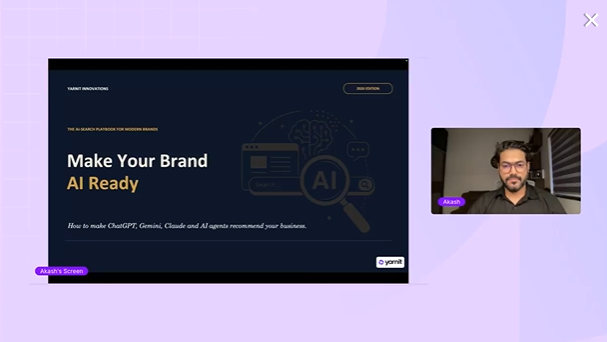
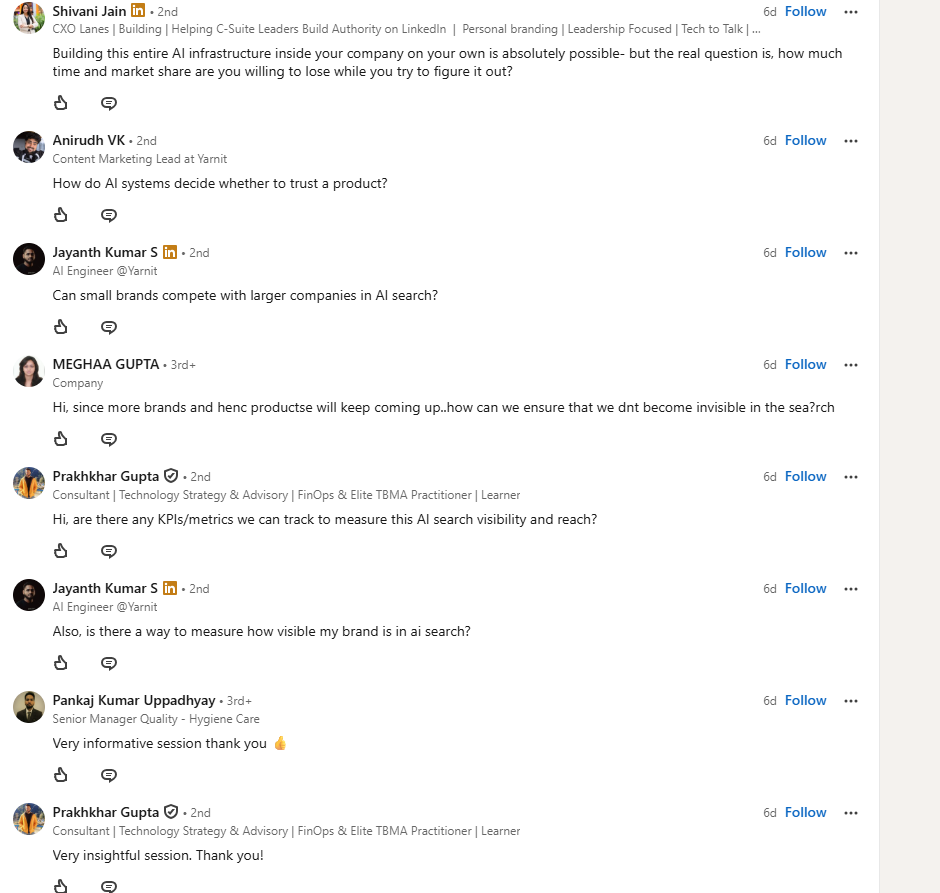
At Yarnit, we did a live webinar on ‘Make your brand AI-Search-Ready in 30 minutes’, that allowed us to showcase our agentic commerce suite product. A pre-recorded clip can be watched and reacted to at any point over its lifespan, so reactions spread thin over days. A live stream compresses all of that reaction into a single shared window, everyone watching knows everyone else is watching right now, which is what actually pulls comments out of people who'd otherwise just scroll past. That's also exactly why Live falls flat without a real event attached, the format's entire advantage is the shared-moment pressure, and there's no shared moment to create pressure around if the "live" stream is just a recorded video with no reason to have been live at all.
5. Video ads and Thought Leader Ads
On the paid side, most B2B teams default to a standard video ad. Worth knowing before you do: LinkedIn now offers Thought Leader Ads, which let you put ad spend behind an individual employee's organic post instead of a branded company ad.
Why this often performs better isn't a coincidence, it's the same reach problem from earlier in this piece working in your favor for once. LinkedIn's ranking system already treats personal profile content as more "native" to the feed than company page content. So boosting a person's post means you're amplifying something the algorithm already likes, while boosting a branded ad means you're fighting its bias the whole way. If you're testing paid video for the first time, that's the order to try things in: person first, brand second.
Using LinkedIn's video features
Auto-generated captions exist by default now, but LinkedIn also lets you review and edit them before you publish, or upload your own .srt file instead. Worth doing every time, since autoplay in the feed is muted, and the auto-generated version sometimes mangles names or industry terms.
The thumbnail is yours to pick. When you upload a video, LinkedIn lets you choose which frame becomes the thumbnail, or upload a custom image entirely. Most people leave it on whatever frame LinkedIn grabbed automatically, which is rarely the most engaging one available.
Native upload versus an external link is a real, measurable gap: platform benchmarks put native video's organic reach at roughly 5x an external link to YouTube or Vimeo. If you're already making the video, there's no reason to make LinkedIn treat it like an afterthought.
Creator Mode is worth turning on if you're posting video regularly on a personal profile. It unlocks follower and video-specific analytics you don't get otherwise, and nudges the algorithm to put your content in front of more non-followers, which is exactly the cold audience this whole guide keeps coming back to.
LinkedIn's native video analytics are also easy to ignore, but they're where the real read on performance lives. Watch time and completion rate, not just views or reactions, are what LinkedIn uses to decide who else sees your video next. A video with 500 views and a 60% completion rate is doing more for you than one with 2,000 views and a 10% completion rate, even though the second one looks better on the surface.
And if you're using LinkedIn Live, know that it now has to be scheduled in advance rather than started on the spot. That's actually a feature, not a limitation, scheduled Live events get pre-event promotion in the feed and follower notifications when you go live, which a spontaneous stream never gets.
Conclusion
Put together, the picture is less "video is booming, post more of it" and more "the format is maturing, and the brands winning are the ones treating each video like a distribution decision, not just a creative one." That means matching format to funnel stage (talking-head and lesson-learned for top-of-funnel trust, demos and carousels for consideration, Live and Thought Leader Ads for moments that deserve amplification), and building the unglamorous mechanics (captions, hooks, native uploads, custom thumbnails, weekly cadence) into the process by default rather than as an afterthought.
Yarnit's AI-assisted writing can draft the actual LinkedIn post copy, the caption underneath a video, or a full long-form article if you're publishing on LinkedIn's article feature, all shaped around whatever hook or angle you feed it. And because it's pulling from Yarnit's Knowledge Hub, where you set up your brand's voice, tone, and personality once, along with your past posts, milestones, and published work, the copy it hands back actually sounds like you instead of reading like a generic AI draft that needs a full rewrite before it's usable.
The creative side is handled too. Yarnit's design tools let you put together the actual LinkedIn post creative, thumbnail, or carousel card using pre-built, on-brand templates, so you're not stuck exporting something out of Canva and hoping it matches your last ten posts. Everything stays tied to your brand's visual guidelines automatically, which matters more than it sounds like it should when five different people on a team are all shipping content in the same week.
Put together, that's the part most teams underestimate about staying consistent on LinkedIn: it's rarely one big idea you're missing, it's the twenty small drafts and edits a week that eat the time.
See exactly why your Product Detail Page isn't converting
Thank you! Your submission has been received!
Oops! Something went wrong while submitting the form.
Frequently Asked Questions
1. What is the best LinkedIn video format for B2B businesses?
Founder-led talking-head videos, short product demos, lesson-learned videos, LinkedIn Live sessions, and Thought Leader Ads are among the most effective LinkedIn video formats for B2B businesses. The right format depends on whether your goal is building awareness, educating prospects, or driving conversions.
2. How long should a LinkedIn video be?
For most B2B content, LinkedIn videos between 15 and 60 seconds perform best. Founder insights and educational videos can extend to 60–90 seconds if they deliver value quickly and maintain viewer attention.
3. Do LinkedIn videos perform better than external video links?
Yes. Native LinkedIn videos generally receive significantly more organic reach than links to platforms like YouTube or Vimeo because LinkedIn prioritizes content uploaded directly to its platform.
4. What makes a LinkedIn video successful?
A successful LinkedIn video starts with a strong hook in the first few seconds, includes captions for silent autoplay, delivers one clear message, uses an engaging thumbnail, and encourages viewers to watch until the end. Completion rate and watch time are stronger indicators of success than views alone.
5. Should B2B companies post videos from a company page or a personal profile?
Both have their place, but personal profiles often generate higher engagement and reach because LinkedIn tends to favor people-first content. Company pages work well for product launches, announcements, and brand campaigns, while founder-led videos are more effective for building trust.



.avif)

%20(1).png)