




Picture this: your campaign needs to go live, everyone is in crisis mode, resources are stretched thin, and your nerves are about to fray. Last-minute changes keep coming in, and you don’t know whether to change the ad creative with a spelling mistake, follow up on your influencer campaign which hasn’t gone live yet, or pause the campaign and take a 3-day long nap.
In an ideal world, this wouldn’t be the case. Everything would be ready 2 days before launch, and all you had to do was click “Go Live”. For those who don’t live in a make-believe world of first-time approvals and minute-perfect content calendars, we thankfully have a last-minute crisis manager: AI agents.
Marketers in 2026 have already familiarized themselves with every single AI chatbot on the planet, but it’s a part of their everyday workflows now. But the thing about AI today is that it allows someone in a creative role to expand their gamut beyond what was previously possible within their skillset. For marketers who are eternally constrained for creative bandwidth, agentic AI is a godsend; a gift straight from Silicon Valley that can help just that little extra bit when it’s really needed your human teammates have no bandwidth left over.
In this blog, we’ll take you through how you can use AI to save your campaigns at the last moment, create supporting graphics for your content, repurpose your long-form content to fill out your social calendar, and even create fresh new visual content that’s up there with your overworked graphic designer.
Why AI is the Perfect Last Minute Fix
The reason why AI is perfect for those last minute adjustments is simple: it’s easy to use and follows your instructions to the T. Of course, the unsaid truth here is that those instructions need to be coherent, well thought out and meaningful, but we’ll get into that later.
I’ll illustrate with an example from our Yarnit’s content workflow. We create a blog, but it can’t be published without a brand-compliant header. Plus, the associated infographics or illustrations within the blog also need to be designed beforehand, which is a privilege that tight content calendars don’t allow for. So what is a marketer like myself to do?
To start off with the most important thing, a blog header, I first try to distill the essence of the blog into an image format. Don’t worry, you don’t have to use your already strained brain to do this, just go to your favourite AI (mine is Yarnit), attach your blog as a reference, and use this prompt.
Pick up the core concepts from the attached blog and give me some visual pointers which I can use for creating a blog header. Don't be literal, think about it, abstract it by one layer visually, and put that idea into words.
Ignore the fact that I just asked the AI to “think about it” and try using this prompt. As with any AI output, you might have to iterate on a few ideas, and dismiss a few. Here’s an example where I wanted to create a header for the last edition of our newsletter.
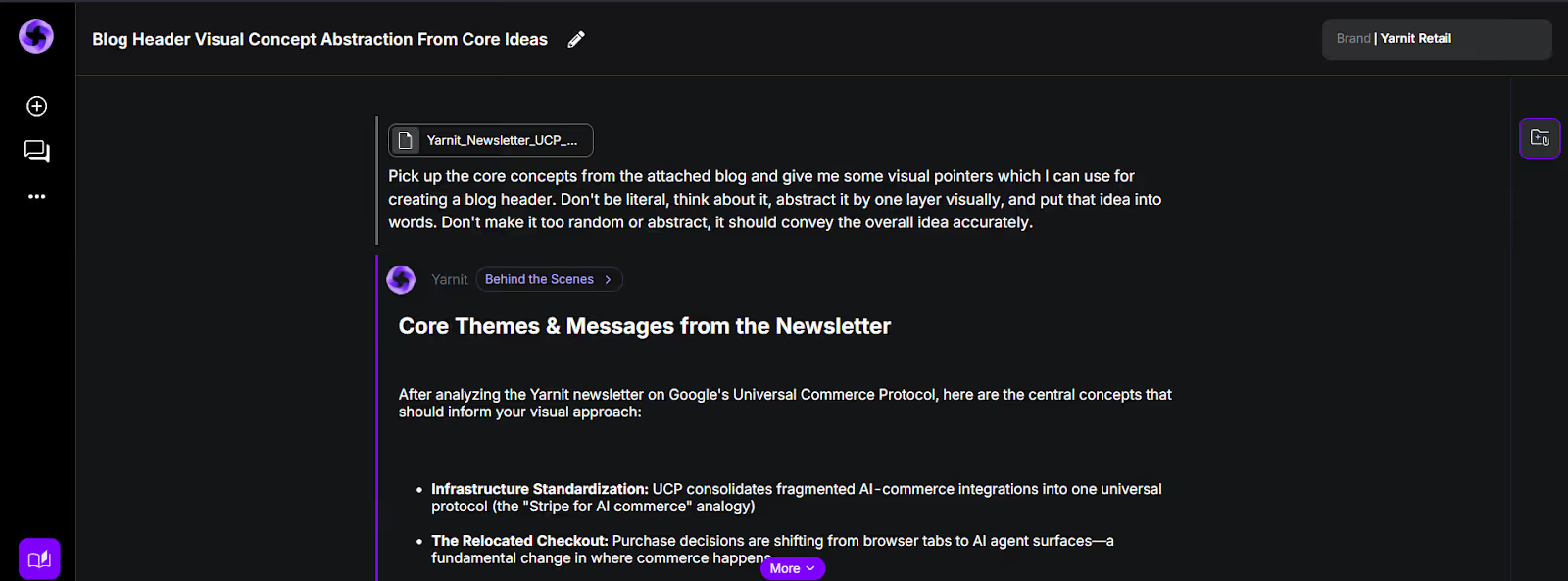
When you have something you like, frame the output into a prompt. Your overall prompt formula must be something like this:
[core visual idea] [negative prompt] [brand and design considerations] [aspect ratio].
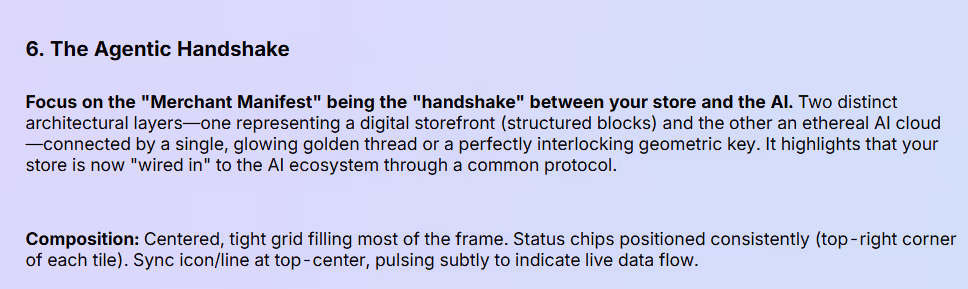
Let’s take this idea from the output, and frame it like this. Using our handy prompt formula (and removing some AI fluff), this is what your final prompt should look like:
Create an image with 2 distinct layers. The one on the bottom needs to be made up of different structured blocks, and the top layer needs to be a digital, futuristic looking AI cloud. A single interlocking golden geometric key needs to connect both of these layers with the letters “UCP” written on it. Don't make it too random or abstract, it should have some nice clean lines and convey the idea accurately. The image has to make sense to the viewer. Create it in a 16:9 aspect ratio and include some lavender violet accents on it.
Take your optimized prompt to an AI image generator, like Yarnit’s Dreambrush app, and add on whatever additional settings you want. Hit generate and see your blog header come to life.

When iterating on the output, think of it as giving feedback to your designer: be pointed and clear in what you want the output to be, and don’t use buzzwords like “make it punchy”.
This might seem like an in-depth tutorial for a very specific use-case, but the example isn’t what you should look at: it should be the logic. Distilling the concept down, it’s a very simple workflow:
- Translate your thoughts into language accurately (either by yourself or with the help of AI)
- Use prompting techniques to refine the thought into a language that AI can understand
- Iterate creatively and effectively by giving pointed feedback
Let’s take this formula into another common last-minute tasks that is often left to marketers; making small changes in ad or social media creatives. With pixel-perfect AI models, making small changes to your ad creative without changing the overall look can be done with just a prompt. Need 5 more variations for your performance ads? Just prompt it.
Repurposing Long-Form Content Into a Full Social Calendar
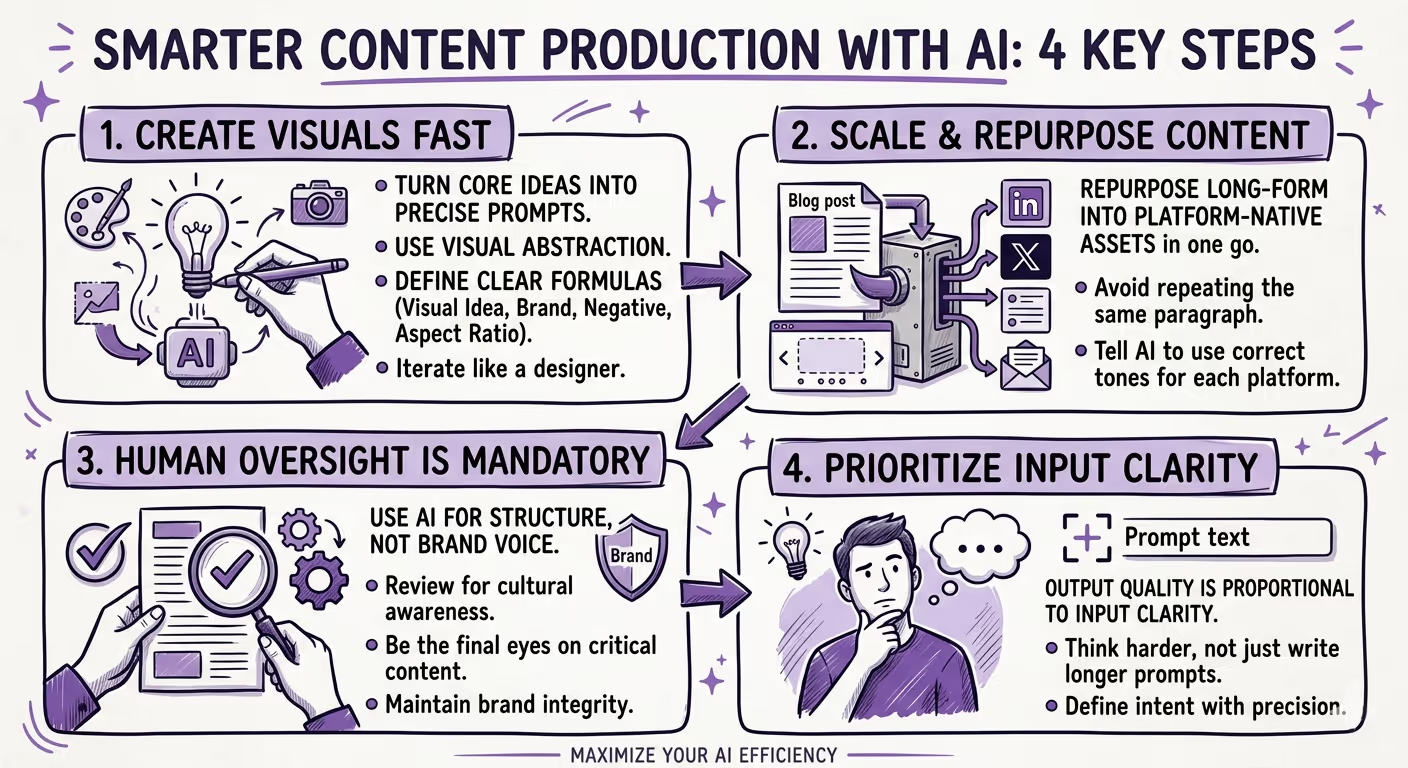
One of the most underrated use cases for agentic AI is content repurposing — and it's a lifesaver when your social calendar has gaping holes and your team is already running on fumes. The logic is simple: you've already done the hard work of creating a well-researched, thoughtful long-form piece. Why write six more pieces from scratch when the raw material is already sitting there?
Here's a workflow that takes your blog post (or webinar transcript, or case study) and multiplies it across formats. Feed your long-form content into your AI tool of choice with a prompt like this:
Read the attached content carefully. Now repurpose it into: 3 LinkedIn posts with different hooks, 5 short-form tweets, 1 carousel outline with 6 slides, and 1 email newsletter intro. Match the tone of the original and make each piece feel native to its platform.
The key phrase here is "feel native to its platform." Without that instruction, you'll get the same block of text reformatted five different ways, which defeats the purpose entirely. A good AI tool will understand that LinkedIn rewards storytelling, Twitter rewards provocation, and email rewards brevity and a clear CTA.
Once you have these drafts, your job is purely editorial: tighten the language, add a personal anecdote where it fits, and schedule. What would have taken a content writer a full day now takes a marketer under an hour. And when you're staring down a content calendar with three blank days and a campaign going live tomorrow, that's not a small win, it's the whole game.
Knowing When to Trust the AI (And When to Step In)
For all the efficiency that AI agents bring to a marketer's workflow, there's one skill that separates marketers who use AI well from those who use it recklessly: knowing when to hand the wheel back to a human. AI is remarkably good at speed and scale. It is not always great at nuance, cultural sensitivity, or reading the room during a PR-sensitive moment.
A practical rule of thumb: use AI freely for anything that is structural or formulaic, like image generation, content repurposing, copy variations, campaign briefs, and social captions. Be more careful when the output is going to represent your brand in a high-stakes context, like a crisis communication, a campaign that touches on social issues, or messaging directed at a vulnerable audience. In those cases, AI is a great first draft, but a human needs to be the last set of eyes.
There's also the matter of brand voice. AI tools trained on general data will naturally gravitate toward a generic, competent-but-forgettable tone. The more detailed your prompts are about your brand's personality: the better the output.
Build yourself a simple AI style guide: a short paragraph describing your brand voice, five words it owns, five words it never uses, and two or three examples of on-brand copy. Drop this into every AI session as context, and you'll notice the quality of outputs improve dramatically.
The Bottom Line: AI Isn't a Crutch, It's a Co-Pilot
Whether it's generating a brand-compliant blog header at 11 PM the night before launch, repurposing a single webinar into a week's worth of social content, or knowing exactly when to take the wheel back from the AI, the common thread is intentionality. AI doesn't save bad planning, but it does give good marketers a genuine safety net when things inevitably go sideways. The workflows we've walked through the kind of last-minute saves that are happening in marketing teams every single day. And the tools that make them possible are only getting sharper.
If you want an AI that can do more than just generate text: one that can actually act as a research partner, a sounding board for half-baked campaign ideas, and a strategic thought partner that pushes your thinking further, Ask Yarnit is built exactly for that.
Whether you're stress-testing a campaign concept at midnight or trying to figure out why your last email sequence underperformed, Ask Yarnit gives you a team of agentic marketing experts that understands your brand, not just commands.
And when it's time to bring those ideas to life visually, Yarnit Dreambrush 2.0 takes brand-compliant creative production to a level that would have required a full design team not long ago. Powered by the latest state-of-the-art image models, Dreambrush 2.0 generates on-brand imagery, every time. What’s more, it’s on-brief, and ready to deploy across formats without the back-and-forth that eats up everyone's time.
The crisis mode moment will always come. The campaign that needs one more asset, the calendar gap that appears out of nowhere, the brief that changes three hours before go-live. The question is whether you face it scrambling, or whether you've got the right co-pilot ready to go.


