Picture this: you're browsing a sleek fashion brand's website, but when you click on a product, the page feels empty and uninspiring. Just a handful of photos, a brief description, and a price tag. Nothing that excites you about the purchase or makes you confident in your decision.
This happens more often than you'd think. When customers land on your product pages, they're already interested—but that basic setup can quickly kill their enthusiasm. Your product page isn't just a catalogue listing; it's your chance to connect with shoppers, answer their questions, and guide them toward hitting "add to cart."
Look at Westside's approach. Their website treats each product category—from gifts to jewelry to beauty—as its own experience. Instead of generic layouts, they craft pages that speak directly to what that specific shopper wants to see and know. The result? Visitors stay longer and buy more often.

That's precisely why customizing your Shopify product pages matters so much. The default setup works fine for getting started, but it won't make your products memorable or help customers feel confident about buying. With some strategic tweaks, though, you can transform these pages into powerful sales drivers that actually connect with your audience. Let's explore how to customize your Shopify product pages for business success.
What Basic Shopify Product Pages Miss
Most Shopify stores end up with cookie-cutter product pages that fail to address what customers actually need to make a purchase decision. These standard setups typically don't:
- Show what makes your product different from the countless alternatives available online. Without clear differentiation, customers have no reason to choose you over competitors.
- Include the detailed information shoppers desperately want—size guides, care instructions, demo videos, or answers to common questions.
- Make product selection intuitive. Customers shouldn't have to guess which size fits or wonder if that color option will match their existing items.
- Build the trust necessary for online purchases through reviews, guarantees, security badges, or transparency about stock levels.
- Suggest complementary products that could enhance their purchase or solve related problems they haven't considered yet.
Without these elements, potential customers often leave empty-handed—not because they don't want your product, but because they don't have enough information to feel confident buying it. Research shows that 51% of e-commerce sites deliver a "mediocre" or poor product page experience, directly contributing to cart abandonment.
Top 9 Tips To Customize Shopify Product Pages Beyond the Basic
You don’t need to be a developer to improve your product pages. Here are straightforward tips to help you enhance your Shopify product page customization.
1. Start with Shopify’s Theme Editor
If you are using Shopify’s 2.0 themes, you can customize your product page layout easily without any coding:
- Go to Online Store > Themes > Customize from your Shopify admin.
- Select "Product Pages" from the page type dropdown.
- Add, remove, or rearrange sections like customer reviews, videos, or product details.
- Adjust colors, fonts, and button styles for a better alignment with the brand.
This is a quick and straightforward way to start improving your product pages.
2. Tailor Different Layouts for Different Products
Create tailored layouts for different products or brands, since not every product fits the same format. Shopify lets you design multiple product page templates and assign them based on category or type for a better shopping experience.
For example, fashion or lifestyle products benefit from storytelling, styling photos, and customer reviews. On the other hand, technical products need detailed specifications and FAQs. Boat, for instance, uses FAQs to address technical queries such as battery life and sound quality.
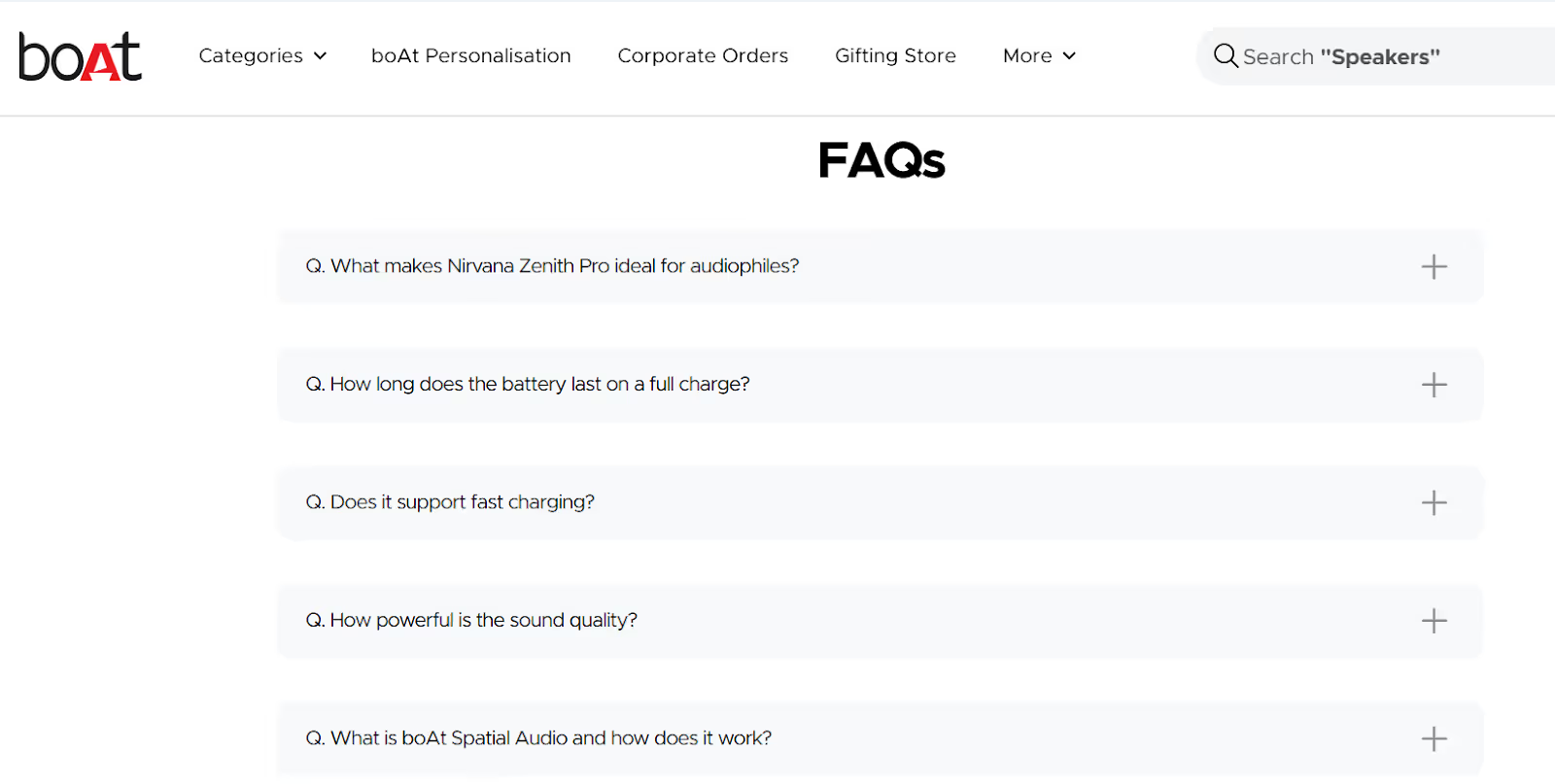
Adding FAQs to your product pages helps clarify user doubts and builds trust. AI tools like Yarnit can make FAQ creation more efficient. Yarnit’s Knowledge Hub keeps product information consistent across pages, while Ask Yarnit helps craft clear, on-brand answers to customer questions.
3. Share More Helpful Product Information
Sometimes, a simple product description doesn’t cut it. For this, create meta-fields for important extra details such as
- Size charts for clothes.
- Care instructions for delicate products.
- Ingredient lists for beauty items.
- Detailed product stories that highlight benefits and use cases
- Educational content that addresses common customer questions
Develop content that connects emotionally with your audience. Instead of just listing features, explain how the product solves problems or improves their daily life. Use storytelling elements, customer success stories, and practical tips that position your brand as helpful and trustworthy.
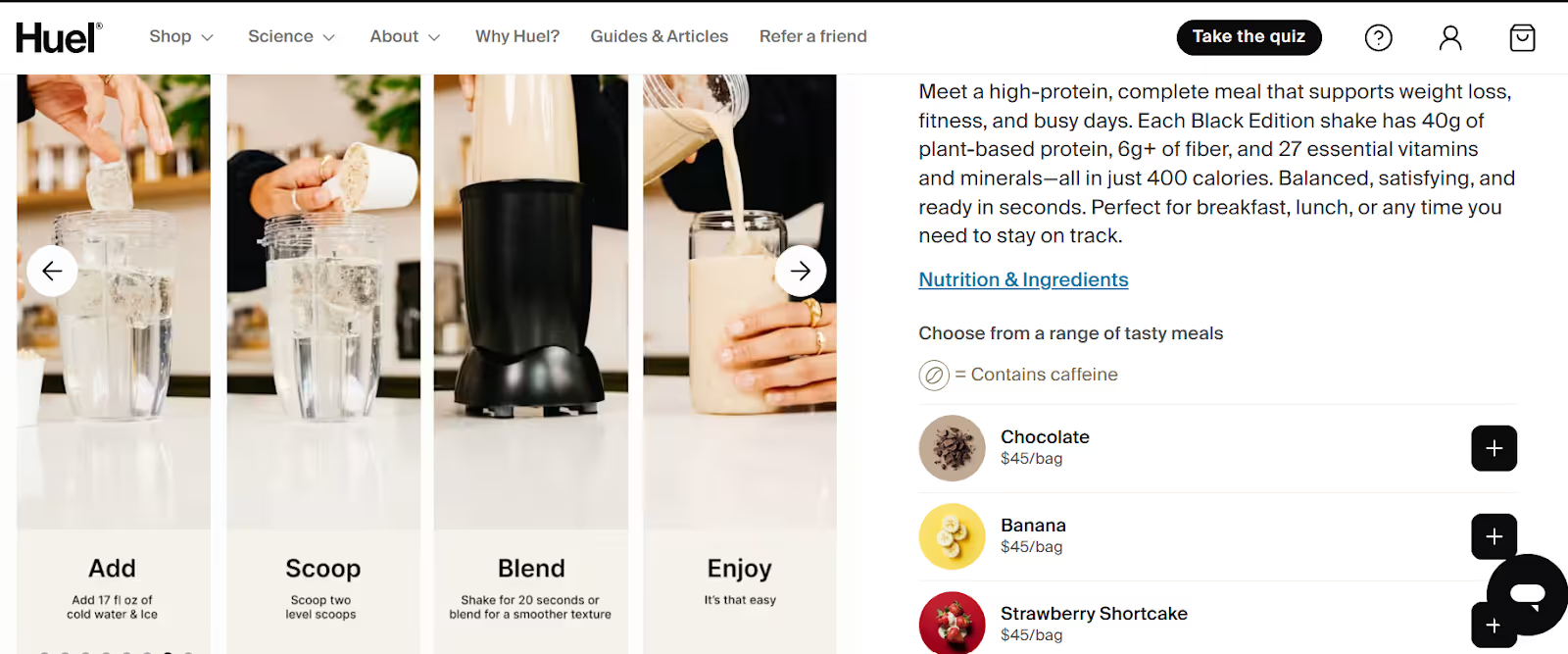
For example, Huel, a nutrition brand, uses meta-fields not just to highlight nutritional facts but also to showcase certifications, the detailed process for making its protein shakes, and even icons like a caffeine sign. Their content strategy extends beyond basic specifications to include educational information on nutrition, meal-planning tips, and lifestyle benefits—creating a comprehensive resource that helps customers feel confident making informed choices and builds trust by aligning product page content closely with brand values and product uniqueness.
4. Boost Visual Appeal with Better Images and Videos
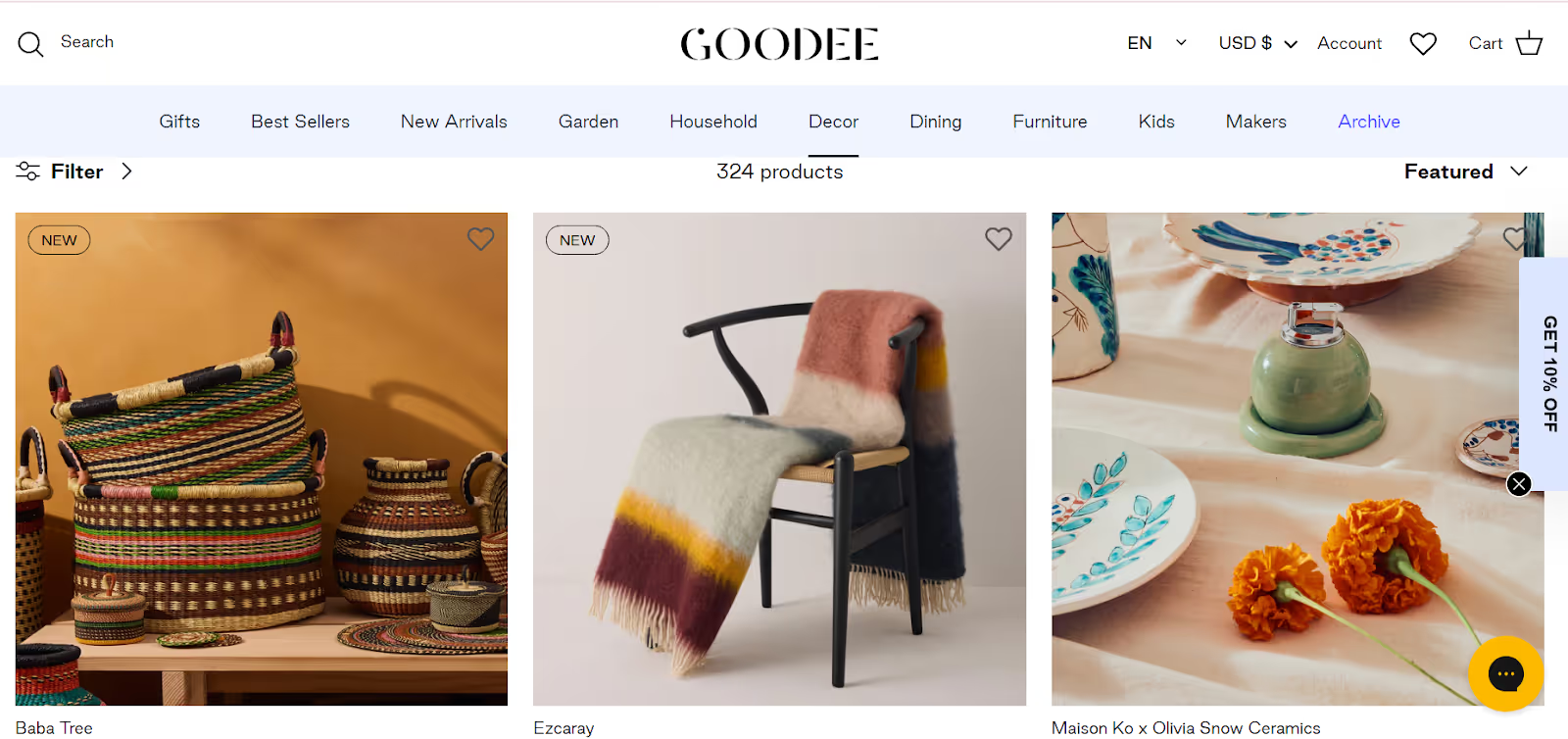
Good images and videos greatly influence buying decisions. Use crisp, high-quality photos from different angles, including 360-degree product views if possible, and embed short videos demonstrating how to use or style the product. These make it easier for customers to visualize owning the product.
Goodee, a home decor brand, uses high-quality images to showcase its products and also includes product pics from different angles.
5. Make Selecting Product Options Easy and Interactive
Help customers pick the right options smoothly by ensuring that size or color selectors update images and prices in real time. Add customization options like engraving or gift wrapping directly on the page. Interactive options make shopping more engaging and personal.
6. Add Trust Elements to Reduce Buying Hesitation
Use clear badges and messages to build confidence:
- Display “Secure checkout,” “Money-back guarantee,” or “Free returns” badges.
- Show stock levels in real time with messages like “Only three left!”
- Clearly explain shipping and returns policies.
- You can also add customer reviews on the homepage to enhance trust amongst your customers.
These elements reassure customers and speed up decisions. For example, oral care brand Cocolab builds credibility by showcasing real customer review videos directly on its product pages—helping shoppers trust the brand and make quicker purchase decisions.

7. Suggest Related Products to Boost Sales
Encourage customers to add more items with relevant suggestions. Use “You may also like” or “Complete your look” sections. Offer bundles or discounts for related purchases. This can naturally increase your average order value.
8. Use Page Builder Apps for Advanced Customization
Want more control without coding? Use drag-and-drop page builders like PageFly, Shogun, or Instant. Move images, text, and buttons anywhere on the page. Preview and adjust layouts for desktop and mobile views easily. These tools are ideal if you want unique and flexible page designs.
9. Continuously Improve by Tracking and Testing
After customization:
- Monitor visitor behaviour using Shopify Analytics and Google Analytics.
- Run A/B tests on images, headlines, and CTAs.
- Refine based on what works best for your audience.
Constant tweaks help maximize sales and user experience. Use platforms like Ask Yarnit to create multiple headlines, descriptions, and CTAs aligned with your brand voice, and test them against different audiences.
Your Product Pages Can Become Your Best Sales Tool
Your Shopify product pages are where customers decide to buy. They deserve your best attention. These simple Shopify product page customization techniques can help you tell your product’s story better, build trust with shoppers, and guide them smoothly to checkout.
Remember, great content is just as important as design. Yarnit's multi-agent system automates your PDP processes—from creation to image generation—streamlining your workflow effortlessly. With Yarnit's contextual intelligence, your product pages, content, and images stay fully aligned with your brand's voice and identity, ensuring a consistent and professional customer experience every time.
Ready to upgrade your Shopify product pages? Start today and watch your sales grow.
FAQs
Q1. What is Shopify product page customization?
A. It means making your product pages look better and work smarter to help your customers buy.
Q2. Can I do this without coding?
A. Yes, Shopify’s theme editor and page builder apps let you customize without coding.
Q3. What are meta-fields?
A. Extra product information fields, like size charts or instructions, that show only when needed.
Q4. Why use trust badges and stock alerts?
A. They reassure buyers and help speed up their decision to purchase.
Q5. How important is testing product pages?
A. Very. Testing shows what works best and helps improve your sales over time.